August 18, 2026 • Darius Mosley • 9 min reading time • Prices verified June 29, 2026
Wi-Fi 7 Routers That Won't Bottleneck Your Multi-Gig Fiber
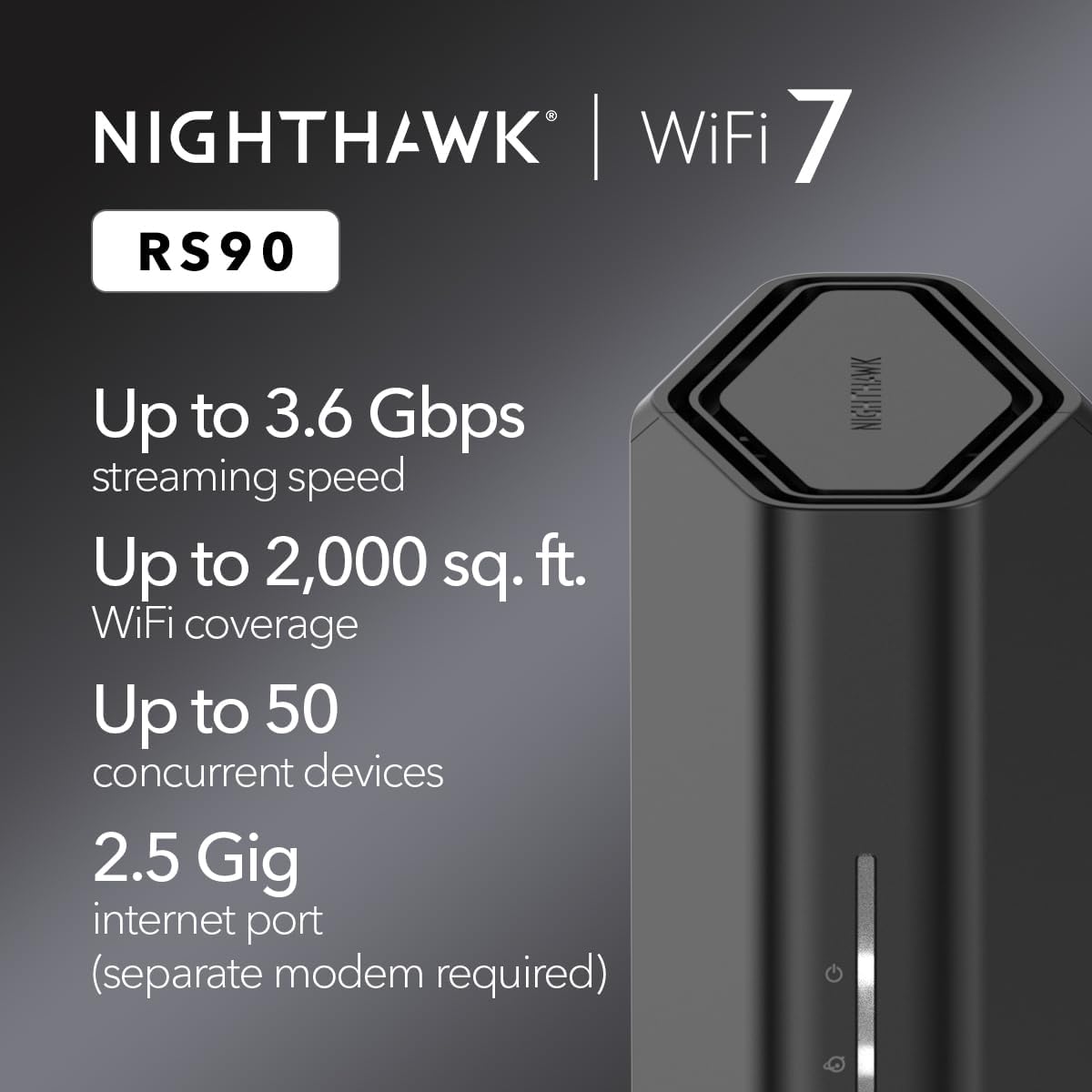
If you just upgraded to a multi-gig fiber plan — that’s an internet connection delivering 2 gigabits per second (Gbps) or faster to your home — congratulations: your ISP is no longer the weakest link. Your router might be. Most routers sold in the last five years, including some expensive ones, top out at a 1 Gbps WAN port. WAN (Wide Area Network) is the port that physically connects your router to the modem or ONT (the small box your ISP installs that converts the fiber signal into an ethernet handoff). A 1 Gbps WAN port is a hard ceiling on every device in your home, no matter how fast the Wi-Fi 7 radios inside that router might be. This guide breaks down which Wi-Fi 7 routers are actually built to match a 2.5 Gbps, 5 Gbps, or 10 Gbps fiber handoff — and which ones will quietly cut your speeds in half the moment you plug them in.
The WAN Port Mismatch Problem Is Real, and It’s Still Common in 2026
Wi-Fi 7 — technically the IEEE 802.11be standard — is genuinely fast. It introduces Multi-Link Operation (MLO), which lets a single device connect across two or three frequency bands simultaneously, and theoretical aggregate throughput that tops 46 Gbps across a high-end access point. Those numbers matter for local network traffic: transferring a 4K video library from a NAS to a laptop, for example. But for internet traffic — every stream, download, and video call that originates outside your home — it all funnels through one port: the WAN.
The disconnect is a marketing artifact. Manufacturers lead with the wireless headline number because it’s bigger and easier to advertise. The WAN port spec, which determines actual internet throughput, is often buried in a footnote. SmallNetBuilder’s Wi-Fi 7 router roundup from 2025 flagged this explicitly, noting that several routers in the $300–$500 range paired Wi-Fi 7 radios capable of 19–23 Gbps aggregate wireless bandwidth with a single 1 Gbps WAN port — a roughly 20:1 mismatch.
The practical consequence: a household on a 2 Gbps symmetrical fiber plan, running a 1 Gbps WAN router, will never exceed 940 Mbps down on a wired device and will split that ceiling across every wireless client simultaneously. You’re paying for multi-gig and getting gigabit.
By the numbers — WAN port tiers to know:
| WAN Port Speed | Max Usable Internet Throughput | Matches Which Plans |
|---|---|---|
| 1 Gbps | ~940 Mbps | Up to 1 Gbps fiber |
| 2.5 Gbps | ~2.35 Gbps | 1–2.5 Gbps plans |
| 5 Gbps | ~4.7 Gbps | 2.5–5 Gbps plans |
| 10 Gbps | ~9.4 Gbps | 5–10 Gbps plans |
What to Look For: WAN Port, LAN Ports, and the CPU Behind Both
Identifying the right WAN port is step one. Step two is making sure the router’s processor can actually route traffic at that speed without collapsing under load. These are two separate failure modes.
WAN port speed
This should be the first spec you check, not the last. For a 2 Gbps fiber plan, you need a 2.5 Gbps WAN port at minimum. For a 5 Gbps plan, you need a 5 Gbps or 10 Gbps port. According to PCMag’s 2025 Wi-Fi 7 router reviews, routers are starting to standardize on 2.5 Gbps WAN as a baseline in the $300+ tier, but 5 Gbps and 10 Gbps WAN ports remain confined to the $400–$700 range as of mid-2026.
Routing throughput (the CPU constraint)
A router’s ability to push packets at line rate through the WAN port depends on its internal SoC (System on Chip — the processor that runs everything). Many mid-range Wi-Fi 7 routers use quad-core processors that handle 1 Gbps routing comfortably but begin dropping throughput or adding latency when NAT (Network Address Translation — the process that maps your home’s private IP addresses to your public internet address) is handling 3–5 Gbps of sustained traffic. Tom’s Guide’s 2025 router testing notes that routers in the Qualcomm Networking Pro 1220- and Broadcom BCM6815-class SoC tier begin showing measurable latency increases at sustained loads above 3 Gbps. For a 2.5 Gbps plan, most current Wi-Fi 7 routers are adequate. For a 5 Gbps plan, prioritize routers with hardware NAT offloading explicitly listed in the spec sheet.
LAN-side bottlenecks
Even with a fast WAN, you can recreate the bottleneck on the output side. If you’re running a wired desktop or NAS that needs multi-gig throughput, ensure the router has at least one 2.5 Gbps LAN port. Several Wi-Fi 7 routers in the $350–$500 range include a 2.5 Gbps WAN port but ship with four 1 Gbps LAN ports — fine for wireless clients, but a ceiling for wired power users.
Routers Worth Considering — and the Tradeoffs to Name Explicitly
Rather than a ranked list, this section maps routers to use cases, because the “best” router is entirely a function of your plan speed and network architecture.
The 2.5 Gbps WAN tier ($300–$500): adequate for most multi-gig fiber plans
The ASUS RT-BE96U is the router reviewers at Tom’s Guide and SmallNetBuilder consistently point to for this tier. It ships with a 10 Gbps WAN port and a 10 Gbps LAN port — unusual generosity at its price point — alongside Wi-Fi 7 radios. Published specs rate it at 19 Gbps aggregate wireless throughput. Owners across aggregated reviews report that the ASUS-ASUSWRT firmware remains one of the more capable consumer router OSes, with genuine QoS (Quality of Service — traffic prioritization rules), VPN server functionality, and a track record of multi-year firmware support. The tradeoff: ASUS’s security update cadence has historically lagged enterprise vendors, and the RT-BE96U is a single-node solution — it won’t extend seamlessly into a mesh if your floor plan demands it.
The Netgear Orbi 970 (the Wi-Fi 7 generation) takes a different approach: it’s a mesh system with a 10 Gbps WAN port on the router node and 10 Gbps backhaul between nodes. For a large home on a 2.5–5 Gbps plan that needs whole-home coverage, this is the more honest solution than pairing a fast single router with a separate mesh system. PCMag’s 2025 review of the Orbi 970 noted strong throughput consistency across nodes; the caveat is that Netgear’s firmware update history for Orbi has been inconsistent — worth flagging as a long-term support concern. The Orbi 970 sits at the upper end of the prosumer consumer tier, typically $700–$900 for a two-pack.
The TP-Link Archer BE900 carries a 10 Gbps WAN port and has earned consistent mentions in SmallNetBuilder’s Wi-Fi 7 coverage for its routing throughput under load. It’s also compatible with the TP-Link Omada ecosystem if you’re building toward a managed network — though the Archer line sits outside the Omada controller umbrella, so plan accordingly if VLAN segmentation and centralized management are on your roadmap. If they are, the Omada EAP780 (Wi-Fi 7 access point, ~$250) plus an Omada controller and a managed switch is a more extensible stack, though it requires more setup.
The prosumer/home-lab tier ($500–$800+): where ecosystem matters more than the router box
If you’re running VLANs, a pfSense or OPNsense firewall, or sourcing UniFi or Omada hardware, the router itself is often the least interesting decision. What matters here is the WAN-facing interface on your firewall/router appliance. Protectli and similar x86 appliance vendors are shipping units with 2.5 Gbps and 10 Gbps NIC options that pair with pfSense/OPNsense to handle multi-gig NAT routing, while downstream Wi-Fi 7 APs — Ubiquiti’s UniFi U7 Pro or TP-Link’s Omada EAP780 — handle wireless independently.
Ars Technica’s multi-gig networking explainer from 2024 makes the architecture point clearly: for home labs, decoupling the routing/firewall function from the Wi-Fi function is almost always the more capable and maintainable design. The tradeoff is complexity and initial configuration time — not a turnkey solution.
For UniFi specifically: the UniFi Dream Machine Pro and Dream Machine SE support multi-gig WAN (2.5 Gbps on the SE; 10 Gbps SFP+ on the Pro), and pair natively with Wi-Fi 7 UniFi APs. Ecosystem lock-in is real — UniFi hardware is designed to be managed through UniFi Network, not a third-party controller — but the firmware support cadence is strong and the feature set for home-lab use (VLAN, traffic policies, IDS/IPS) is genuinely enterprise-grade.
Firmware Support: The Factor That Changes in Year Three
Hardware specs are static. Firmware support is not. A Wi-Fi 7 router bought today with a 10 Gbps WAN port will still have a 10 Gbps WAN port in 2029. What may not still be there: security patches, bug fixes for newly discovered vulnerabilities, and updates that add compatibility with new client devices.
The Wi-Fi Alliance’s Wi-Fi CERTIFIED 7 overview notes that the 802.11be standard introduced new complexity — MLO negotiation, enhanced MCS (Modulation and Coding Scheme) rates, and new security handshakes — that will require ongoing firmware iteration as client devices mature. A router from a vendor with a weak update track record will, functionally, become less capable over time as client device behavior evolves.
ASUS and TP-Link have both delivered multi-year update windows on recent router generations; Netgear’s Orbi line has a more mixed record. UniFi and Omada both have commercial incentive to maintain firmware because their hardware is sold into managed business environments — that institutional pressure is a meaningful signal about long-run support.
The Decision Rule
If your fiber plan is 1 Gbps or under: a 1 Gbps WAN router is not a bottleneck. Wi-Fi 7 still benefits you for local network throughput and reduced congestion in dense client environments, but WAN port speed isn’t the constraint.
If your plan is 2–2.5 Gbps: minimum requirement is a 2.5 Gbps WAN port with hardware NAT offloading. The ASUS RT-BE96U and TP-Link Archer BE900 both clear this bar; verify the WAN port spec before purchase, as product variants sometimes differ.
If your plan is 5 Gbps or above: a 10 Gbps WAN port is the correct spec. Confirm hardware NAT offloading and consider whether a single-router architecture is the right choice, or whether a firewall appliance (pfSense/OPNsense on an x86 box) plus separate Wi-Fi 7 APs serves you better.
In any tier, check three things before committing: WAN port speed against your current plan, the vendor’s firmware update history for that specific product line, and whether the router’s LAN ports will choke your fastest wired clients. The wireless throughput number on the box is the last thing to look at, not the first.