September 15, 2026 • Darius Mosley • 9 min reading time • Prices verified June 29, 2026
Sizing Your PoE Switch for a Multi-AP and Camera Stack
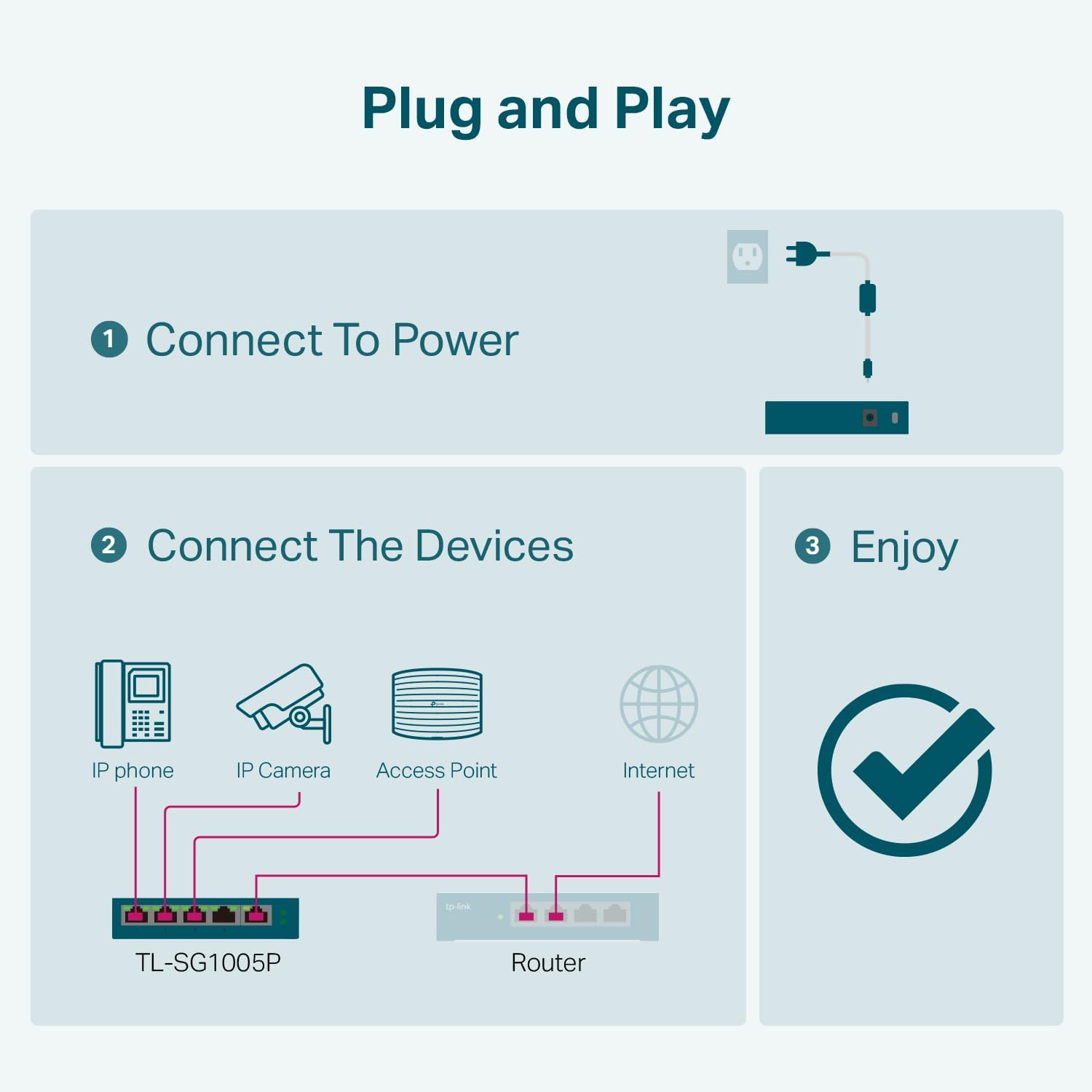
You’ve decided to wire your home or small office with dedicated Wi-Fi access points (purpose-built radios mounted to walls or ceilings, rather than a single router doing all the work) and IP security cameras (cameras that send video over your regular network cable instead of a proprietary wire). Both of those devices need two things from a single cable: data and electrical power. The technology that delivers both simultaneously is called Power over Ethernet, or PoE — and the piece of hardware that manages all of those connections is a PoE switch, essentially a traffic cop and power strip rolled into one box. Size it correctly and your system runs cleanly for years. Size it wrong and you’ll either blow the switch’s power budget on day one, or buy a second switch six months later when you add three more cameras. This guide shows you how to do the math before you buy, what specs actually matter, and how to choose between the major managed-switch ecosystems at the prosumer level.
| EDITOR'S PICKNETGEAR 24 Port PoE Switch Unma… | Mid-tierTP-Link TL-SG1016PE | 16 Port G… | Budget pickTP-Link TL-SG1005P | |
|---|---|---|---|
| Total ports | 24 | 16 | 5 |
| PoE+ ports | 16 | 8 | 4 |
| PoE budget | 190W | 150W | 65W |
| Managed | ✗ | ✓ | ✗ |
| Mounting | Desktop or rack | — | Desktop |
| Price | $239.99 | $134.99 | $39.99 |
| See on Amazon → | See on Amazon → | See on Amazon → |
Why PoE Budget Math Matters More Than Port Count
Most buyers anchor on port count first — “I need eight ports, so I’ll buy an eight-port switch.” That logic fails the moment you look at the fine print. Every PoE switch carries two limits: a per-port power ceiling and a total chassis power budget. The per-port ceiling is set by the PoE standard the port supports; the chassis budget is a fixed watt pool shared across every active port simultaneously.
The IEEE (Institute of Electrical and Electronics Engineers) has ratified three main PoE standards that matter here:
| Standard | Max per-port delivery | Typical use case |
|---|---|---|
| 802.3af (PoE) | 15.4 W | Older or budget access points, basic IP cameras |
| 802.3at (PoE+) | 30 W | Mid-range APs, PTZ cameras, VoIP phones |
| 802.3bt (PoE++) | 60 W (Type 3) / 90 W (Type 4) | Wi-Fi 6E/7 APs, multi-sensor cameras, displays |
Per the IEEE 802.3 specification documents, those are the switch port output maximums — the powered device (your AP or camera) draws what it actually needs up to that ceiling. The problem is chassis budget. A popular 8-port switch rated for 802.3at might carry a 65 W chassis budget. If every port is active and drawing near maximum, you hit the ceiling fast: 8 ports × 30 W = 240 W theoretical demand against a 65 W pool. The switch will throttle or drop devices once the budget is exhausted — usually the ports with the lowest administrative priority go first.
The practical rule: add up the maximum rated draw of every device you plan to connect, multiply that by 1.25 as a headroom buffer, and that number is your minimum chassis budget. SmallNetBuilder’s PoE switch analysis consistently flags chassis budget as the single most under-scrutinized spec in this purchase category.
Real-World Power Profiles: APs and Cameras Are Not Equal
Here’s where intuition built on consumer-grade gear can mislead you. A Wi-Fi 6E access point like the Ubiquiti UniFi U6 Pro draws up to 13 W under load per Ubiquiti’s published datasheet — well within PoE+ territory, and the device ships with a PoE+ injector for exactly that reason. But the U6 Pro is on the modest end. The Ubiquiti U7 Pro Max (Wi-Fi 7) is rated at up to 25.5 W. Move to a Ubiquiti U6 Enterprise with its additional 6 GHz radio and the published draw climbs to 21.5 W. You’re not in 802.3af land anymore.
IP cameras add a different wrinkle. A fixed-lens 4K camera from manufacturers like Reolink or Amcrest typically draws 8–12 W — manageable. A PTZ camera (Pan-Tilt-Zoom, meaning a motorized unit that can rotate and zoom on command) can pull 25 W or more when the motor is active. Add infrared illuminators and heated housings for outdoor units in cold climates, and some cameras spec at 30 W sustained.
By the numbers — a representative 8-device stack:
4× Ubiquiti U6 Pro APs @ 13 W each = 52 W 2× Fixed 4K cameras @ 10 W each = 20 W 2× PTZ cameras @ 25 W each = 50 W ───────────────────────────────────────────────── Raw total 122 W × 1.25 headroom buffer = 153 W minimum chassis budget
That stack needs a switch with at least a 150–180 W chassis budget, not the 65 W unit you’ll find in the “8-port PoE+” bin at the electronics counter. PCMag’s managed switch coverage consistently surfaces this budget gap as the primary return driver in the SMB and prosumer segment.
Choosing a Switch Tier: Unmanaged vs. Smart vs. Fully Managed
For a multi-AP, multi-camera deployment, unmanaged PoE switches are a non-starter. They can’t assign VLANs (Virtual Local Area Networks — isolated network lanes that keep your cameras on a separate, firewalled segment from your laptops), they can’t prioritize traffic with QoS (Quality of Service), and they offer no per-port power controls. If a camera misbehaves and hammers bandwidth, an unmanaged switch has no tools to intervene.
Smart (web-managed) switches — the TP-Link TL-SG108PE is a common entry point — give you VLAN tagging, basic QoS, and per-port PoE scheduling. They’re a reasonable choice for a four-to-six device setup where you’re not running a full controller-based ecosystem. The limitation is that VLAN configuration is switch-local; you’re managing each unit separately, which becomes tedious at scale.
Fully managed Layer 2/3 switches are the right call for any deployment beyond about six PoE devices, especially when those devices span multiple ecosystems (cameras from one vendor, APs from another, a VoIP handset from a third). At this tier, two ecosystems dominate the prosumer home-lab segment:
Ubiquiti UniFi switches — the USW-Pro-24-POE is the flagship mid-tier, carrying a 400 W PoE budget across 24 ports with a mix of PoE+ and PoE++ ports — integrate with the UniFi Network controller for centralized VLAN management, per-device power monitoring, and automatic AP provisioning. The lock-in is real: the controller experience degrades meaningfully when you mix in non-UniFi APs, and Ubiquiti’s firmware cadence (historically aggressive, occasionally destabilizing) is a factor to monitor before committing. Tom’s Guide’s managed switch coverage calls UniFi “the most polished prosumer ecosystem” while flagging that “buying in means staying in.”
TP-Link Omada switches — the TL-SG3428XPP is the high-budget-headroom option at 800 W chassis capacity on a 28-port platform per TP-Link’s published datasheet — offer a comparable controller-driven experience at a lower entry price point. Omada is notably more friendly to mixed-vendor APs; its VLAN and QoS tooling functions independently of whether your APs are Omada-branded. The trade-off is ecosystem coherence: the Omada controller’s AP adoption workflow is less seamless than UniFi’s, and the long-term firmware support window, while improving, has historically been shorter than Ubiquiti’s on legacy hardware.
If your APs are already UniFi, buy a UniFi switch — the integration dividend is real. If you’re camera-forward and your APs are mixed-vendor, Omada’s flexibility and PoE budget headroom make it a sharper value.
Uplink Speed and the WAN Mismatch Tax
Here’s an issue that routinely surfaces in forums and aggregated owner reviews once deployments mature: uplink port speed mismatch. Most PoE switches in the $200–$400 range are built around 1 Gbps copper ports. If your APs are Wi-Fi 6E or Wi-Fi 7 units capable of multi-gigabit backhaul, and your NVR (Network Video Recorder — the server that stores your camera footage) is ingesting 4K streams from eight cameras simultaneously, a 1 Gbps uplink to your core router or NAS can become a bottleneck.
The Ubiquiti USW-Pro-24-POE addresses this with two 10 Gbps SFP+ uplink slots. The TP-Link TL-SG3428XPP includes four 10 Gbps SFP+ uplinks. If you’re on a multi-gig fiber service — increasingly common in 2026 as ISPs roll out 2.5 Gbps and 5 Gbps residential tiers — and your router has a 2.5 GbE or 10 GbE WAN port, confirm that the switch’s uplink matches. Buying a 1 GbE uplink switch for a multi-gig network is a version of the same mismatch problem as buying a 1 GbE router for multi-gig fiber service. The bottleneck just moves one hop downstream. SmallNetBuilder’s switch review methodology explicitly tests this uplink saturation scenario for exactly this reason.
Firmware Support: The Hidden Long-Term Cost
A PoE switch in a security-critical deployment (cameras, access control) is infrastructure, not a gadget. Treat firmware support life the way you’d treat a roof warranty. Ubiquiti’s UniFi switches have received firmware updates four-plus years post-launch on most current-generation hardware, though owners in long-run community reviews note that major UniFi OS transitions have occasionally required manual intervention. TP-Link Omada’s support window has extended meaningfully since 2024 as the ecosystem matured; operators running Omada in small offices report consistent security patch delivery, though feature releases on older switch hardware slow after about three years.
Brands outside these two ecosystems — including some attractive-on-paper budget options from the import market — frequently go silent on firmware within 18–24 months. In a camera stack, an unpatched switch with known CVEs (published security vulnerabilities) is an open door to your camera feeds. Factor support life into the total cost of ownership, not just the sticker price.
The Decision Frame: If X, Then Y
If your stack is 4–6 devices, all PoE+ or lower, and you’re not running VLANs: A smart-managed switch in the $80–$150 range with a 120 W+ chassis budget covers the use case cleanly. Don’t over-buy into a full managed ecosystem you won’t configure.
If your stack is 6–12 devices mixing APs and cameras, and you need VLAN segmentation: Move to a fully managed switch. Budget for 250 W+ chassis capacity minimum. Choose UniFi if your APs are UniFi; choose Omada if your environment is mixed-vendor or camera-heavy.
If your stack exceeds 12 devices, includes PoE++ APs or PTZ cameras, or anchors a multi-gig network: The USW-Pro-24-POE or TL-SG3428XPP tier is the entry point. Confirm 10 GbE uplink ports are present and in use. Chassis budget at this scale should be 400 W or higher. Plan your VLAN architecture before you rack the switch — retrofitting VLANs across a live camera system is painful.
In every case: Do the power math before you buy. Add up rated device draw, multiply by 1.25, and let that number — not the port count on the box — drive your chassis selection. A switch that runs out of power budget on device seven is not a bargain at any price.