August 6, 2026 • Darius Mosley • 10 min reading time • Prices verified June 29, 2026
PoE Switch Sizing for IP Cameras: From a 5-Port Starter to a 48-Port Rack Unit
PoE Switch Sizing for IP Cameras: From a 5-Port Starter to a 48-Port Rack Unit
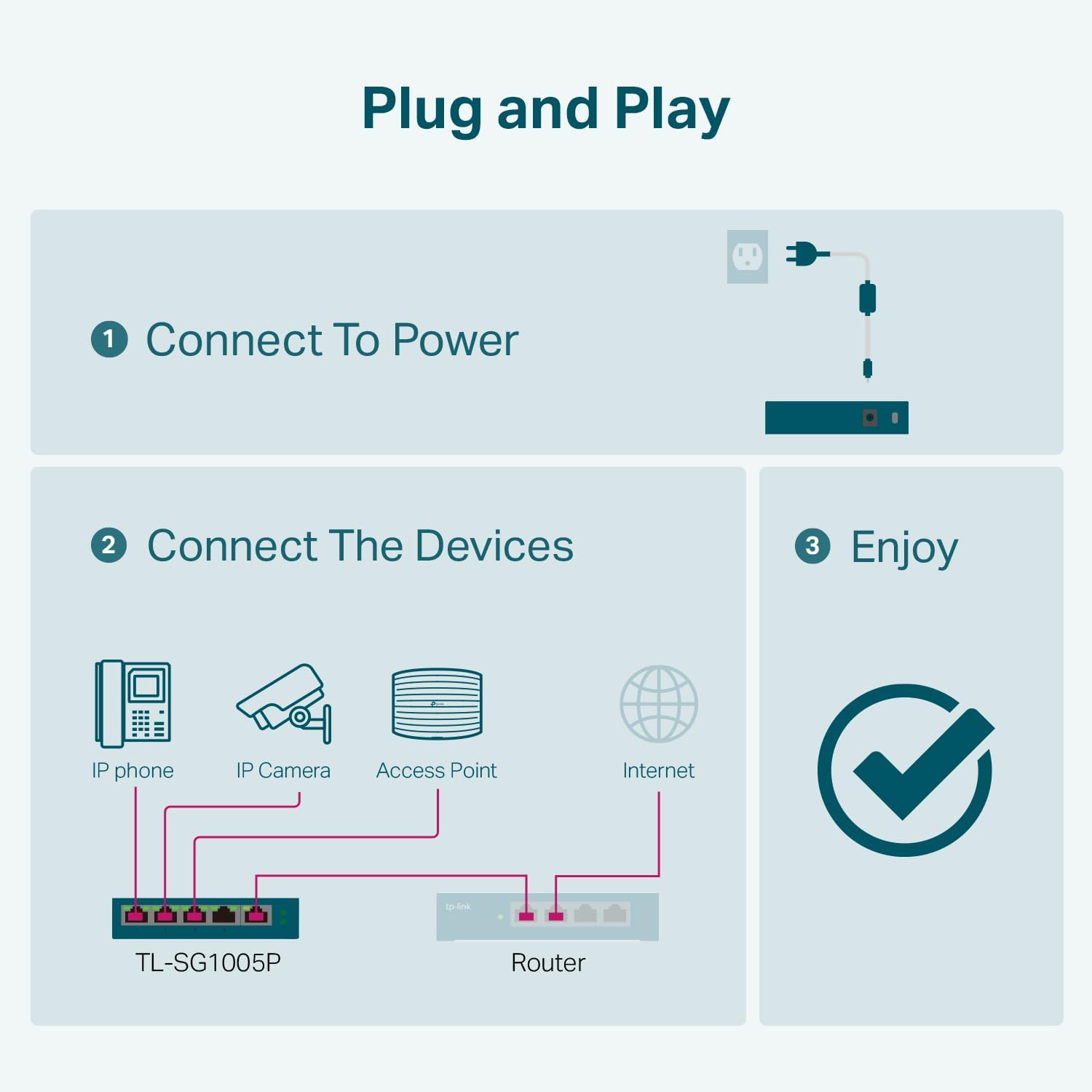
If you’ve ever unboxed an IP camera — a network-connected security camera — and wondered how to power it without running an extension cord to every corner of your house, the answer is a PoE switch. PoE stands for Power over Ethernet: it lets a single network cable carry both data and electricity to a device like a camera or a wireless access point. The switch sits in your network closet or utility room, and every camera plugged into it gets power and a network connection through one cable. No separate power adapter needed at the camera end. For anyone building a home security system or a small-business camera network, choosing the right PoE switch — one with enough ports, enough total wattage, and the right feature set — is the decision that determines whether your whole install works cleanly or becomes a patchwork of injectors and extension cords. This guide walks you through that sizing decision at every scale, from a five-camera starter setup to a 40-plus-camera rack deployment.
The Two Numbers That Actually Matter: Port Count and PoE Budget
Most buyers focus on port count and stop there. That’s half the math. The number you need to hold in your head alongside port count is total PoE wattage budget — the aggregate power the switch can deliver across all its ports simultaneously.
Here’s why it matters: a switch might have 16 PoE ports each rated at 30 W (PoE+), which sounds like 480 W of available power. But the actual PoE budget — the power supply’s real output — might be capped at 135 W. Divide that by 16 ports and you’re delivering about 8.4 W per port on average. That’s fine for cameras drawing 5–10 W, but it’ll fall short if you mix in access points that want 13–25 W. Per-port wattage is always constrained by the total budget, not by what the port spec alone implies. This is the most consistent mistake buyers make, and it’s called out explicitly in SmallNetBuilder’s PoE switch roundup series as the leading cause of intermittent power issues in camera deployments.
A quick reference for typical device draw:
| Device Type | PoE Standard | Typical Draw |
|---|---|---|
| Budget IP camera (fixed lens) | 802.3af (PoE) | 4–8 W |
| PTZ or IR camera | 802.3at (PoE+) | 10–20 W |
| Wi-Fi 6 AP (e.g., UniFi U6 Pro) | 802.3at (PoE+) | 13–22 W |
| Wi-Fi 6E tri-radio AP | 802.3bt (PoE++) | 25–30 W |
The IEEE 802.3af standard (PoE) delivers up to 15.4 W per port. IEEE 802.3at (PoE+) doubles that to 30 W. IEEE 802.3bt (PoE++) goes to 60 W or 90 W at the port. For most fixed IP cameras, PoE or PoE+ is sufficient. For PTZ cameras and higher-end access points, PoE+ is the practical floor.
The sizing rule: Add up the maximum rated draw of every device you’ll connect. Multiply by 1.25 as a headroom buffer. That’s your minimum PoE budget. If the switch you’re looking at falls below that number, walk away regardless of how attractive the price looks.
Small Installs: 5- to 8-Port Switches for 2–6 Cameras
For a starter setup — a front door, back door, driveway, and maybe a garage — a 5- or 8-port unmanaged PoE switch is the most practical entry point. Unmanaged means there’s no configuration interface; you plug devices in and they work. That’s a real advantage when your goal is fast deployment and your network is a single flat segment without VLAN requirements.
The TP-Link TL-SG1005P (5-port, 55 W budget) and the Netgear GS308EP (8-port, 62 W budget) consistently earn praise from owners for exactly this use case. Across aggregated reviews, the pattern is identical: “everything powered up instantly” and “consistent power delivery without hiccups” are the phrases that repeat. Both are fanless, both are compact enough to mount behind a TV or in a utility closet, and both deliver enough budget for four to six cameras drawing 7–10 W each with room to spare.
The Netgear GS108PP steps up to an 83 W budget across 8 ports — a meaningful jump if you’re mixing cameras with a PoE+ access point. Owner reports confirm it handles that mixed load without the voltage droop complaints that show up on cheaper no-name hardware.
When unmanaged is fine: If all your cameras are on the same network segment, you’re not doing VLANs, and you don’t need per-port power monitoring, an unmanaged switch is the right tool. Don’t pay for management features you won’t use.
When you need managed even at small scale: If you’re running a UniFi or Omada ecosystem and want to isolate your camera VLAN from your main network — a legitimate security practice — you need a managed switch. The TP-Link TL-SG108PE is the unit that shows up in real-world practitioner write-ups at this tier: a system administrator documented using it specifically to power two UniFi APs and a camera, while testing VLAN configuration. The reviewer confirmed VLAN setup works as documented, which matters because VLAN behavior on budget managed switches is notoriously inconsistent between spec-sheet claims and actual behavior. At this price point, having documented confirmation is worth noting.
Mid-Tier: 16-Port Switches for 8–14 Cameras
Once you cross six cameras, you’re usually also adding an NVR (Network Video Recorder — the server that stores footage), possibly a second AP, and potentially an intercom or door-access controller. A 16-port managed switch with 130–185 W of PoE budget is the sweet spot for this range.
The TP-Link TL-SG1016PE (16-port, 150 W budget) earns consistent recognition for a specific real-world use case that many readers will recognize: replacing a rat’s nest of individual PoE injectors scattered across an attic with a single consolidated switch. A reviewer documented exactly that consolidation project, and the cable management and reliability improvement was the headline outcome. If you’re at the stage where you have injectors velcroed to ceiling joists, a 16-port managed switch is the consolidation move.
At 150 W across 16 ports, the math allows roughly 9–10 W average per port — comfortable for fixed cameras, tight if you’re mixing in multiple PoE+ devices. Know your load before you buy. If your camera list skews toward PTZ or IR models drawing 15+ W, price up the next step in PoE budget rather than discovering the constraint after installation.
VLAN capability at this tier also opens the door to proper network segmentation: cameras on their own VLAN, isolated from your workstations and NAS, with firewall rules at the router preventing cameras from initiating outbound connections to anything outside your NVR. This is the architecture that security-conscious home-lab builders run, and the TL-SG1016PE supports it.
Large Installs and NVR Deployments: 24- to 48-Port Rack Units
At 20-plus cameras, you’re in rack-unit territory, and the calculus shifts. You’re now thinking about redundant uplinks, sufficient PoE budget to feed the entire array without throttling, and long-term serviceability. Fanless operation becomes less of a priority (rack environments usually have airflow), and management features — SNMP, LLDP for device discovery, per-port power monitoring and remote reboot — become genuinely useful rather than optional.
The TP-Link TL-SG1428PE (24-port PoE+, 4 SFP uplinks, 250 W PoE budget) stands out as the only unit in its tier with a documented deployment in a Frigate NVR context — Frigate being an open-source NVR platform popular in the home-lab community for its machine-learning object detection. The reviewer confirmed camera-plus-NVR pairing worked without power or negotiation issues, which is the specific validation that Frigate builders are looking for before committing to a switch for their stack.
For deployments that extend to garages, outbuildings, or any environment without climate control, the YuanLey 48-port PoE switch is the only unit in this size class with a reviewer confirming multi-year reliability in a sealed outdoor enclosure. That’s a narrow but real use case — a barn camera system, a detached garage with no HVAC — and “multi-year reliable in a sealed box” is a claim that very few switches at this port count can back with real-world evidence rather than marketing language. Per SmallNetBuilder’s analysis of PoE switch thermal ratings, operating a fanless or sealed-cabinet switch above its rated ambient temperature is the primary cause of premature port failure in outdoor deployments.
Frequently Asked Questions
1. How do I calculate whether my PoE switch has enough wattage for my cameras and access points?
List every device you’ll connect and find its maximum rated power draw from the manufacturer’s spec sheet. Sum those numbers. Add 25% as a headroom buffer to account for startup surge and future expansion. That final number is your minimum PoE budget. If the switch’s stated PoE budget is below that number, it will throttle or fail to power some devices — usually the last ones that negotiated power at startup.
2. Do I need a managed switch for IP cameras, or will an unmanaged switch work?
Unmanaged works perfectly for a flat network where all devices share the same subnet and you have no VLAN or access-control requirements. If you want to isolate your camera traffic from the rest of your network — which is good security practice, since many IP cameras have firmware you can’t fully audit — you need a managed switch with VLAN support and a router capable of enforcing inter-VLAN firewall rules.
3. Can I run both cameras and Wi-Fi access points from the same PoE switch?
Yes, and it’s a common deployment pattern. The key constraint is PoE budget. Access points draw significantly more than cameras — a UniFi U6 Pro is rated at up to 22 W per Ubiquiti’s official documentation, versus 5–10 W for a typical fixed camera. Account for AP draw in your budget calculation before finalizing your switch selection.
4. What is the difference between PoE, PoE+, and PoE++ and which do my cameras need?
Per IEEE 802.3 standards documentation: standard PoE (802.3af) delivers up to 15.4 W at the port. PoE+ (802.3at) delivers up to 30 W. PoE++ (802.3bt) delivers up to 60 W (Type 3) or 90 W (Type 4). Most fixed IP cameras run comfortably on PoE. PTZ cameras, high-power IR cameras, and multi-radio access points typically require PoE+. PoE++ is primarily needed for pan-tilt-zoom cameras with integrated heaters or high-end tri-radio APs.
5. Is a fanless PoE switch safe to run in a closed cabinet or closet?
It depends on the switch’s rated operating temperature and the ambient temperature inside the enclosure. Fanless switches are rated for specific temperature ranges — typically 0–40°C. A sealed closet in a warm climate can exceed that easily. If you’re installing in an enclosed space, verify the ambient temperature under load, ensure passive airflow (even a louvered panel helps), and check the manufacturer’s derating specifications. SmallNetBuilder’s analysis consistently flags thermal throttling in enclosed spaces as the top failure mode for fanless PoE switches.
6. Can I power a Frigate NVR setup entirely over PoE?
The NVR server itself is rarely PoE-powered — it typically requires AC power. What PoE does for a Frigate deployment is power every camera feeding into the NVR, which is where the wattage math matters most. The TP-Link TL-SG1428PE has documented real-world validation in a Frigate NVR deployment, making it the reference point if you’re architecting that stack and want confirmed compatibility rather than theoretical spec alignment.
The Decision Rule
If you have fewer than 6 cameras and no VLAN requirements: an unmanaged 8-port switch with 60–83 W budget covers you cleanly.
If you’re mixing cameras and access points, or you want VLAN isolation: step up to a managed switch — the TL-SG108PE at small scale, the TL-SG1016PE at mid-tier — and verify VLAN behavior is documented, not just listed on the spec sheet.
If you’re at 20-plus cameras, running Frigate, or deploying into an outbuilding: a 24- to 48-port rack unit with 250 W+ PoE budget is the right frame. The PoE budget, uplink port count, and thermal rating for your installation environment matter more than brand at this tier. Get those three numbers right and the deployment will be stable for years. Get them wrong and you’ll be back at the switch closet with a ladder and a budget request.