September 15, 2026 • Darius Mosley • 10 min reading time • Prices verified June 29, 2026
TP-Link Omada vs. UniFi APs: Ecosystem Lock-In Explained for Home Labs
If you’ve started researching “real” networking gear — the kind that lets you carve your home into separate logical networks (called VLANs), see every device on a dashboard, and actually configure quality-of-service rules so your video calls don’t stutter when someone else starts a 4K stream — you’ve almost certainly landed on two names: TP-Link Omada and Ubiquiti UniFi. Both are what the industry calls prosumer ecosystems: controller-managed platforms that sit between consumer routers and full enterprise hardware. They give you genuine network control without requiring a data-center budget. This guide is for the builder who already knows they want one of these platforms but hasn’t committed yet — and wants to understand what they’re really signing up for before a cart clears $1,000.
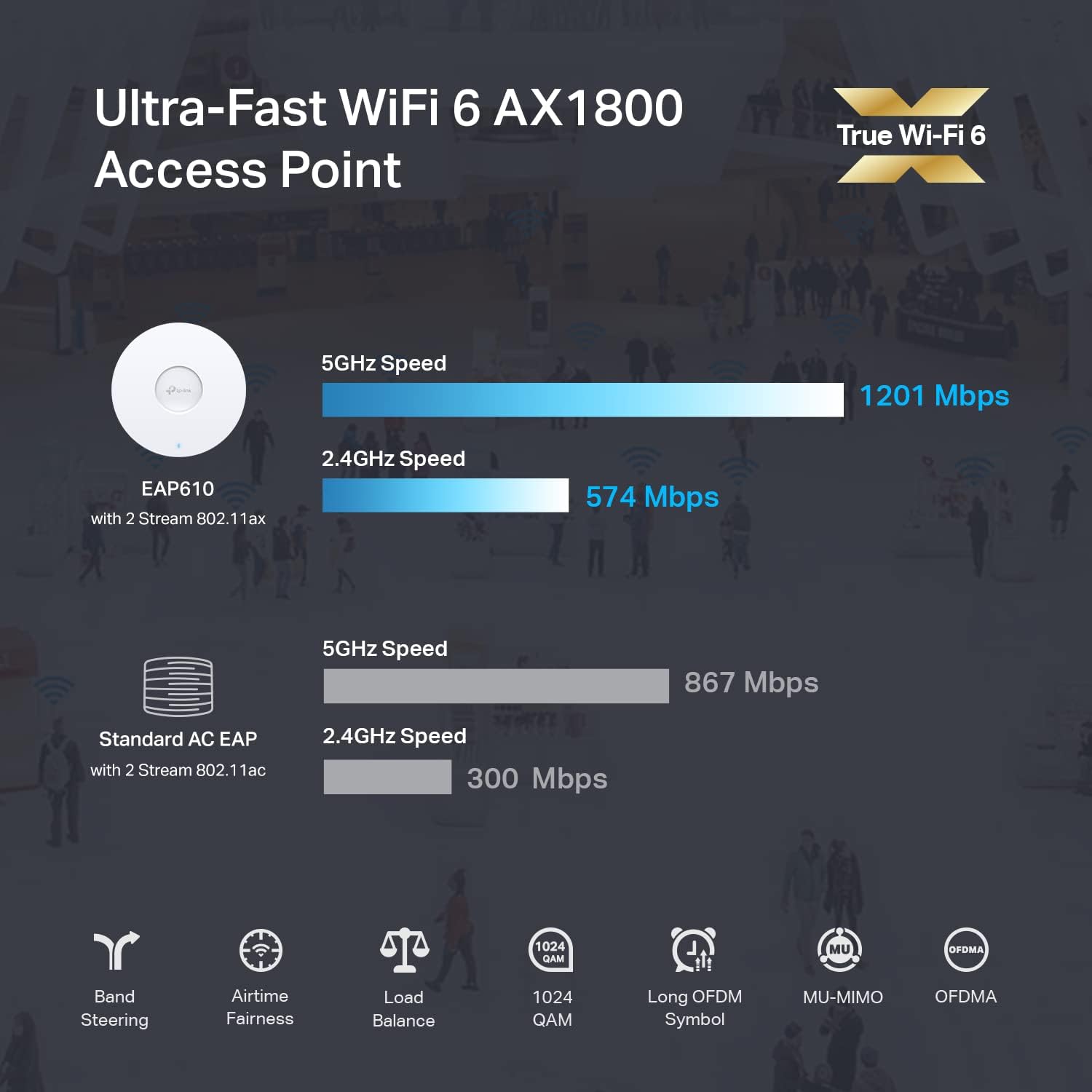
| EDITOR'S PICKU7-PRO-Wall – UniFi High Capaci… | Mid-tierTP-Link EAP653 Wireless Access… | Budget pickTP-Link EAP610 Omada Business W… | |
|---|---|---|---|
| Wi-Fi standard | WiFi 7 | Wi-Fi 6 | Wi-Fi 6 |
| Speed class | — | AX3000 | AX1800 |
| Mount type | Wall-mount | — | — |
| Power source | — | PoE+ | PoE+ |
| DC adapter | — | ✗ | — |
| Mesh support | — | ✓ | ✓ |
| Price | $221.99 | $79.99 | $66.99 |
| See on Amazon → | See on Amazon → | See on Amazon → |
What Ecosystem Lock-In Actually Means Here
“Ecosystem lock-in” sounds ominous, but in practice it just means that the controller software, access points (APs), switches, and gateways from each vendor are designed to work as a closed stack. Mix Omada APs into a UniFi controller and you’ll get zero integration — they’ll appear as unknown devices at best, invisible at worst. Buy into one platform and you’re buying into its entire upgrade path, its firmware cadence, its support model, and its community.
That’s not inherently bad. Lock-in is the price of a coherent, deeply integrated system. The question is whether the platform you’re locked into is worth it for your specific use case — and whether the exit costs are acceptable if you change your mind in three years.
The Two Stacks at a Glance
TP-Link Omada is built around a Software Defined Networking (SDN) controller — a piece of software that can run on a local machine, a cloud instance, or TP-Link’s own OC200/OC300 hardware controllers. The EAP (Enterprise Access Point) line covers everything from budget wall-plate units to the Wi-Fi 6E EAP670. Switching is handled by the TL-SG series managed switches, and routing by the ER series gateways. The whole stack runs under one Omada SDN interface.
Ubiquiti UniFi does the same thing but with a larger hardware catalog, more opinionated design language, and a controller called UniFi Network Application that runs on a Cloud Key, a Dream Machine, or a self-hosted server. APs range from the entry-level U6 Lite to the ceiling-tile-format U6 Pro and the outdoor U6 Mesh. Ubiquiti also sells cameras, VoIP hardware, door access, and LED lighting under the UniFi umbrella — a sprawl that’s either compelling or distracting depending on your ambitions.
Hardware and Performance: Three Tiers Worth Knowing
Budget Entry Point: Wall-Plate and Compact APs
Budget Tier: EAP615-Wall vs. U6 Lite
For builders who need coverage in a single floor or apartment, the TP-Link Omada EAP615-Wall (a wall-plate Wi-Fi 6 unit with a built-in PoE passthrough port) and the Ubiquiti UniFi U6 Lite represent the budget floor of each ecosystem. Both support the core segmentation tasks — IoT VLAN isolation, guest SSIDs, basic QoS — that make prosumer platforms worth choosing over a consumer mesh. The EAP615-Wall typically streets around $55–$75 and is especially practical in apartments where running ceiling drops isn’t feasible. The U6 Lite typically streets around $99 and offers slightly richer controller telemetry at the cost of a higher entry price.
Neither unit ships with a 2.5 GbE uplink at this tier, so aggregate throughput is capped at the switch port. That’s an appropriate limitation for a sub-$100 AP driving typical residential client loads.
TP-Link
$66.99
In stock on Amazon
Check price on AmazonMid-Tier: EAP670 vs. U6 Pro
At the Wi-Fi 6 flagship tier — where most home-lab builds currently land — the primary comparison is TP-Link EAP670 versus Ubiquiti UniFi U6 Pro. Both are four-stream (4×4) 2.4 GHz and five-stream 5 GHz APs with 802.3at PoE (Power over Ethernet, meaning the switch powers them over the network cable). Both support 160 MHz channel width on 5 GHz for peak throughput, and both ship with 2.5 GbE uplink ports.
By the numbers (published specs, mid-2026):
| Feature | TP-Link EAP670 | Ubiquiti U6 Pro |
|---|---|---|
| Max PHY rate (5 GHz) | 4804 Mbps | 4804 Mbps |
| PoE standard | 802.3af/at | 802.3at |
| Uplink port | 2.5 GbE | 2.5 GbE |
| Street price (approx.) | $130–$160 | $179–$220 |
| Controller requirement | Omada SDN | UniFi Network App |
SmallNetBuilder’s published test archive for the EAP670 shows competitive throughput in real-world multi-client scenarios — the spec parity is genuine, not just on paper. PCMag’s review of the TP-Link Omada EAP670 noted “impressive real-world performance for the price,” specifically flagging the 2.5 GbE uplink as a meaningful differentiator at this price point.
The UniFi U6 Pro earns its higher street price through a richer controller feature set: detailed per-client signal history, BSS Transition Management (which nudges clients toward the best AP in a multi-AP deployment), and deeper VLAN-per-SSID configuration. Ars Technica’s coverage of the UniFi U6 Pro platform highlighted the monitoring depth as the real value proposition, arguing that the hardware itself is table stakes and the controller is what you’re actually paying for.
The honest takeaway: If you’re running three or fewer APs and your primary goal is eliminating dead zones and segmenting IoT devices, the EAP670 delivers 90% of the U6 Pro’s real-world outcome at roughly 70% of the price. If you’re architecting a five-to-fifteen AP deployment and want granular roaming control, the UniFi telemetry advantage starts to matter.
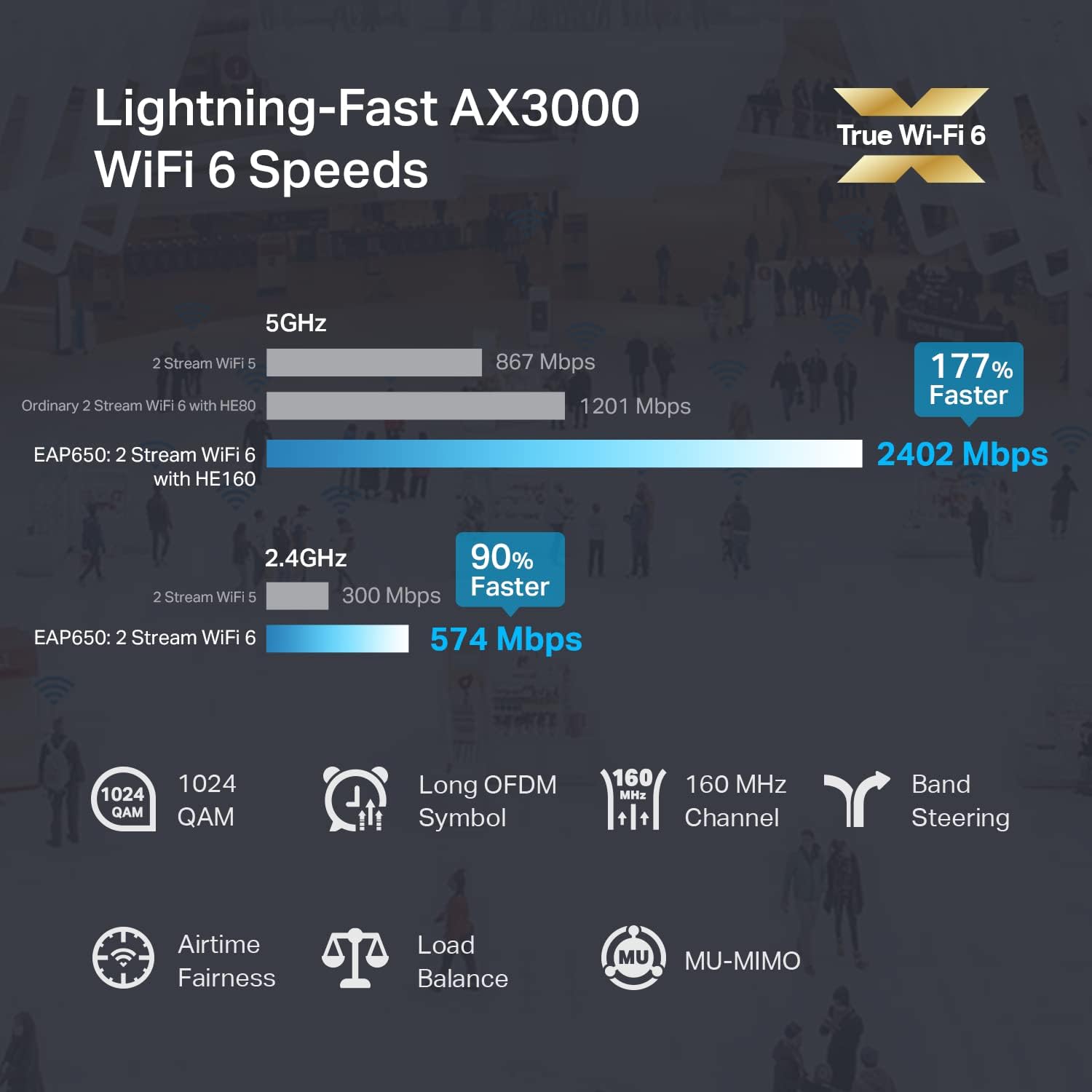
TP-Link
$79.99
In stock on Amazon
Check price on AmazonPremium Tier: Wi-Fi 6E and the Dream Machine Ecosystem
At the top of each catalog, TP-Link offers the EAP653 (a tri-band Wi-Fi 6E ceiling AP), while Ubiquiti counters with the U6 Enterprise and the Dream Machine Pro gateway-plus-controller combo. Wi-Fi 6E adds the 6 GHz band, which is less congested and capable of sustained high-throughput connections for clients that support it. As of mid-2026, the 6 GHz client ecosystem is growing but not yet ubiquitous — a Wi-Fi 6E AP is a forward-buy that pays off over a three-to-five year ownership window rather than immediately.
Tom’s Guide’s best access points feature for 2025 framed the premium UniFi tier directly: “UniFi is a long-term relationship. Omada is a very good date.” That framing holds at the premium tier more than anywhere else. The Dream Machine Pro adds gateway-level routing, IDS/IPS (Intrusion Detection and Prevention), and WAN failover to the management plane. That’s genuinely enterprise-adjacent capability — but it also means your entire network management stack lives in one $379+ device, and a firmware regression affects everything simultaneously.
TechRadar’s 2025 UniFi vs. Omada platform comparison noted that several UniFi firmware releases introduced regressions that took weeks to resolve — a meaningful operational risk when your home office depends on network stability. Buyers at this tier should maintain a rollback plan or run a self-hosted controller on a separate VM with snapshot capability.
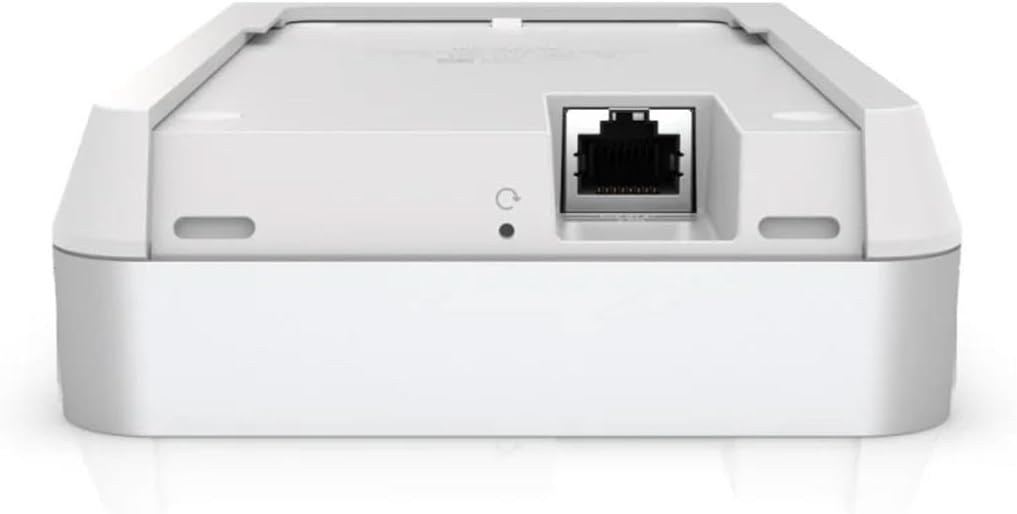
U7-PRO-Wall
$221.99
In stock on Amazon
Check price on AmazonController Software: The Real Differentiation
Hardware parity is increasingly table stakes. The controller is where these ecosystems actually diverge — and where lock-in gets expensive.
Omada SDN: Accessible, Cost-Effective, Occasionally Shallow
Omada’s controller is free software you can run on a local machine, a Raspberry Pi, a Docker container, or TP-Link’s OC200 hardware controller (around $60 street). Cloud management via Omada Cloud is also free with a TP-Link account. For a home lab, this matters: you’re not paying a recurring subscription to manage your own hardware.
The interface is clean and genuinely approachable. VLAN configuration, SSID isolation, and basic QoS rules are all surfaced through the GUI without requiring CLI access. Wirecutter’s best Wi-Fi routers and mesh systems guide consistently flags firmware update cadence as an underweighted factor among buyers who focus only on launch-day specs — and TP-Link has maintained a solid update pace on the EAP line throughout the Wi-Fi 6 generation.
Where Omada shows its limits: advanced roaming features like 802.11r fast BSS transition are present but less polished than UniFi’s implementation in practice. RF environment heatmaps and spectrum analysis tools are shallower. If your deployment is simple — a house, a handful of APs, clean VLAN segmentation — you won’t hit these ceilings. If you’re building a multi-floor office or a high-density guest-network environment, you eventually will.
UniFi Network Application: Powerful, Opinionated, Occasionally Overwhelming
UniFi’s controller software is the best home-lab network management interface available below dedicated enterprise gear. The client timeline, RF environment visualization, DPI (Deep Packet Inspection — the system reads traffic type to apply smarter QoS) reporting, and Site Magic zero-touch provisioning are all meaningfully ahead of Omada’s equivalent tooling.
But there’s a real cost structure embedded here. Running the controller on a Cloud Key Gen2 Plus adds roughly $180 to the platform cost. The Dream Machine Pro (a gateway-plus-controller combo) starts around $379. UniFi’s self-hosted-for-free path works well, but buyers should confirm current licensing terms directly with Ubiquiti before committing — the monetization model has evolved and some advanced features have moved behind subscription tiers over time.
Ecosystem Lock-In: The Exit Math
Here’s where you need to think like an investor rather than a gadget buyer.
Omada exit cost after a three-AP deployment: Your APs are commodity hardware. The controller software is free. If you decide to migrate to UniFi, you’re out the hardware resale delta — roughly $100–$200 on three EAP670s after depreciation. The configuration doesn’t transfer, but for a simple home-lab deployment it’s not complex enough to make rebuilding painful.
UniFi exit cost after a three-AP deployment: Similar hardware delta, but if you’ve adopted a Dream Machine Pro as your gateway-plus-controller, you’re either leaving a $379 device behind or trying to recoup it on the secondary market. More critically, if you’ve extended into UniFi Protect cameras, UniFi Access door hardware, or UniFi Talk VoIP, none of those integrate with anything outside the UniFi ecosystem. The more of the stack you adopt, the higher the exit cost.
Neither platform is a trap — but they reward different commitment levels.
VLAN Architecture and Security Posture
Both platforms support the core segmentation use cases home-lab builders need:
- IoT isolation: Separate SSID mapped to a VLAN, firewall rule blocking lateral movement to the primary LAN
- Guest network: Captive portal optional, client isolation standard
- Work-from-home segment: Dedicated QoS policy prioritizing video conferencing traffic
Omada executes all three cleanly through the GUI with no CLI required. UniFi adds per-client traffic shaping and more granular firewall rule logic — relevant in a home office where you want to ensure a specific device (a NAS running a backup, for example) can’t saturate the uplink during business hours.
For operators running pfSense or OPNsense upstream and treating the managed AP as a pure Layer 2 device, Omada’s controller limitations are largely invisible. The upstream router handles firewall logic; the AP passes tagged VLAN traffic. That architecture neutralizes much of UniFi’s control-plane advantage for buyers already comfortable with a separate firewall platform.
The Decision Rule
Choose Omada if: You’re building your first home lab, have one to four APs planned, want enterprise-grade features without ecosystem complexity, and want the lowest possible exit cost if you later change direction. The EAP670 or EAP653 delivers genuine performance, the controller is free and approachable, and the secondary market for TP-Link hardware is liquid enough that pivoting later doesn’t hurt badly.
Choose UniFi if: You’re running five or more APs, want the best roaming and RF visibility available below enterprise pricing, and are willing to pay the controller hardware cost while accepting Ubiquiti’s firmware update cadence as a managed risk. The U6 Pro at scale — with proper AP placement informed by the controller’s coverage tools — produces a noticeably more stable high-density environment than Omada at equivalent AP counts.
Choose UniFi if you’re adding cameras, door access, or VoIP: Nothing in Omada’s catalog covers that scope. If a unified physical-security and network-management plane matters to you, UniFi is the only realistic prosumer answer.
Confirm your gateway before buying either platform: If your ISP delivers multi-gig fiber, verify your gateway can route at those speeds. A UniFi Dream Router is rated for approximately 1 Gbps routing throughput — fast, but not multi-gig. The Dream Machine SE handles higher WAN throughput. Buying the wrong gateway for your WAN tier is the most expensive and most common mistake in this category.
Both platforms have earned their reputations. The lock-in is real in both cases — but so is the capability. Choose based on the ceiling you actually need, not the one that looks most impressive in screenshots.