August 2, 2026 • Darius Mosley • 9 min reading time • Prices verified June 29, 2026
2.5G Switches That Unlock Your Wi-Fi 6 and Wi-Fi 7 Router's Full Speed
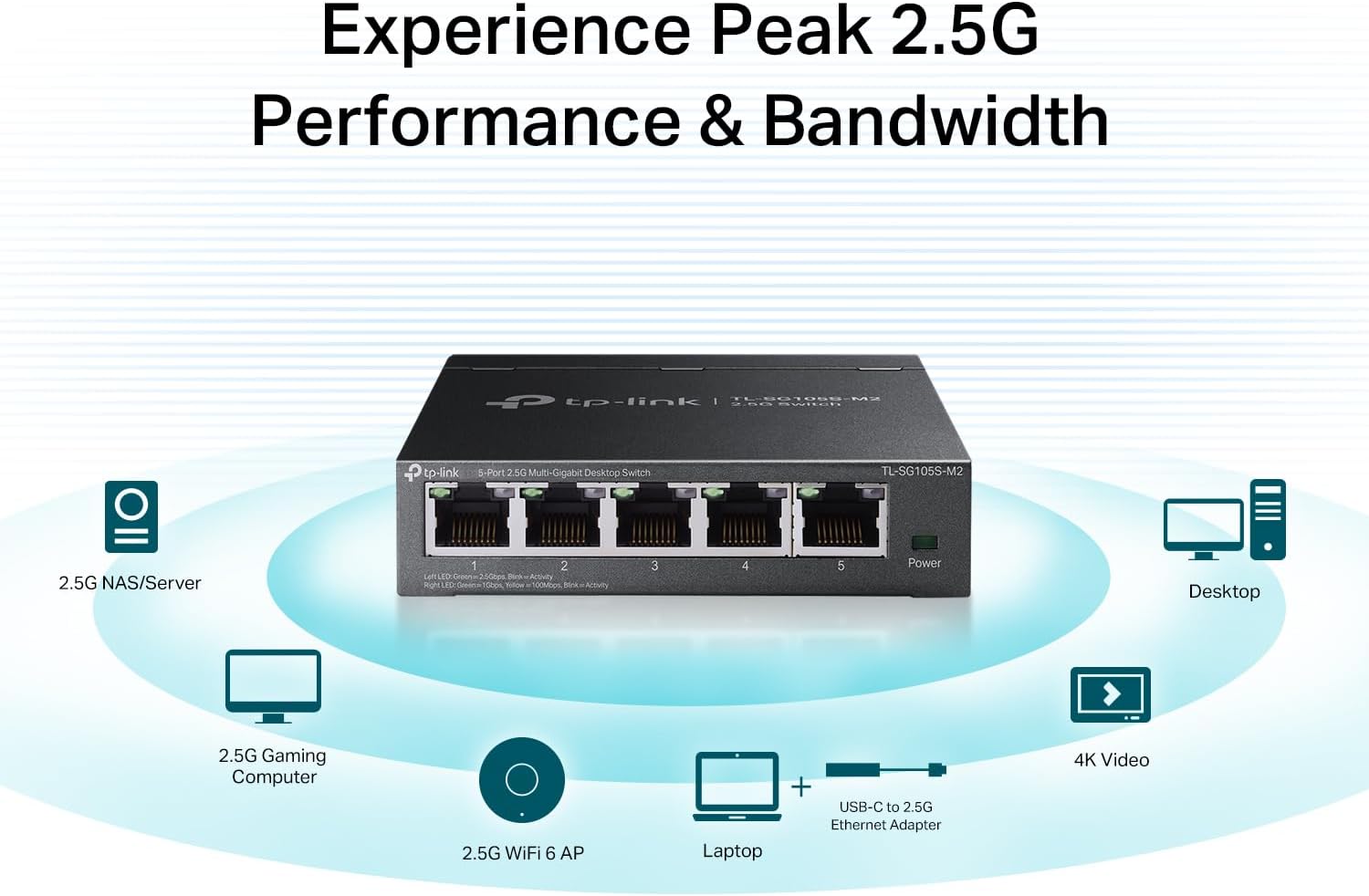
You just upgraded to a Wi-Fi 6 or Wi-Fi 7 router — the kind that promises multi-gigabit wireless speeds — and you’re still not seeing the throughput you expected. There’s a good chance the problem isn’t your router at all. It’s the humble network switch (the box with a row of Ethernet ports that connects your wired devices) sitting between your router and everything else. Most homes and small offices still run on Gigabit Ethernet, a standard that maxes out at 1,000 Mbps (1 Gbps). Modern Wi-Fi 6 and Wi-Fi 7 access points can now move data faster than that over the air — which means a 1 Gbps switch becomes the weakest link in the chain. The fix is a 2.5G switch: hardware that supports 2,500 Mbps per port, matching the throughput ceiling of today’s best wireless gear without requiring you to rewire your home with new cabling. This guide explains where the bottleneck lives, what to look for in a 2.5G switch, and which models are worth your money at each budget tier.
| EDITOR'S PICKTRENDnet 16-Port Unmanaged 2.5G… | Mid-tierTRENDnet 8-Port 2.5Gb Multi-Gig… | Budget pickTP-Link TL-SG105S-M2 | 5-Port M… | |
|---|---|---|---|
| 2.5G Ports | 16 | 8 | 5 |
| Switch Capacity | 80Gbps | 25Gbps | — |
| Fanless | — | ✓ | ✓ |
| Wall Mountable | — | — | ✓ |
| PoE | — | — | ✗ |
| Price | $259.99 | $79.99 | $39.99 |
| See on Amazon → | See on Amazon → | See on Amazon → |
Why Your Gigabit Switch Is Now the Bottleneck
For about twenty years, Gigabit Ethernet (1GbE) was fast enough that nobody complained. Your internet connection topped out at 100–300 Mbps, your local file transfers were tolerable, and your router’s WAN port was always the slowest thing in the room. That calculus has changed at three inflection points simultaneously.
Over-the-air speeds now exceed 1 Gbps. Wi-Fi 6 (802.11ax) routers like the ASUS ROG Rapture GT-AXE16000 carry theoretical aggregate speeds above 16 Gbps across their radio bands. More practically, a single Wi-Fi 6E client in a clean RF environment can sustain 1.5–2.5 Gbps of real throughput to a nearby access point, per aggregate reviewer data compiled by SmallNetBuilder’s 2.5G switch roundup. Wi-Fi 7 (802.11be) raises that ceiling further with 320 MHz channels and multi-link operation (MLO), which bonds multiple radio bands simultaneously. Tom’s Guide’s best Wi-Fi 7 routers coverage notes that flagship Wi-Fi 7 routers are shipping with 10GbE WAN ports specifically because their wireless radios can saturate a 2.5G uplink under real-world loads.
Multi-gig internet service is now mainstream. As of mid-2026, multi-gig fiber plans (2 Gbps, 5 Gbps) have expanded from metro early adopters to most major ISP footprints. A buyer on a 2 Gbps fiber plan who plugs into a 1GbE switch immediately caps their usable download speed at 1 Gbps — regardless of what their router’s spec sheet says. NetworkWorld’s multi-gigabit Ethernet explainer puts it plainly: a 1GbE port cannot physically carry more than ~940 Mbps of usable throughput after protocol overhead.
Wireless backhaul and wired uplinks now compete for the same bottleneck. In mesh systems — where multiple access points blanket a home — “backhaul” refers to the connection between mesh nodes. Wired backhaul over Cat 5e or Cat 6 cable is almost always faster and more reliable than wireless backhaul. But if the switch connecting those nodes is Gigabit-only, you’ve built an expensive mesh system on a 1 Gbps backbone. Ars Technica’s coverage of Wi-Fi 6E and the backhaul bottleneck problem specifically flags this: a Gigabit backhaul switch “silently caps the ceiling that your mesh nodes can ever achieve, regardless of the wireless standard they support.”
The WAN port mismatch problem. This is a persistent purchasing trap that deserves explicit callout: many routers in the $300–$600 range ship with a 2.5G WAN port (the port that connects to your modem or ONT) but only 1GbE LAN ports. If you’ve solved the WAN bottleneck, you haven’t automatically solved the LAN side — particularly if you’re running wired backhaul to access points or have a NAS (network-attached storage) doing high-throughput local transfers.
What to Actually Look For in a 2.5G Switch
Not all 2.5G switches are the same, and the spec sheet can hide meaningful differences. Here are the five factors that should drive your decision.
Port mix and density
Most entry 2.5G switches offer 5 or 8 ports total. A 5-port switch is sufficient for a single-router household with one or two wired access points and a NAS. An 8-port model gives you room to grow. If you’re building a proper wired backhaul for a three- or four-node mesh, you’ll want at least 8 ports — and you’ll want to count uplinks carefully. Some “8-port 2.5G” switches include only 4–6 ports at 2.5G and top out the remaining ports at 1GbE, which can bite you if you assumed all ports were equal.
Managed vs. unmanaged
An unmanaged switch is plug-and-play: no configuration interface, no VLANs, no QoS. Fine for simple home use or adding 2.5G uplinks to your existing managed infrastructure. A managed switch lets you segment traffic into VLANs (separate virtual networks — useful for isolating IoT devices, a guest network, or a security camera subnet from your main LAN), set port priorities, and monitor traffic. For the prosumer home-lab audience reading this, a managed 2.5G switch in the $150–$250 range is often the right call: it gives you the segmentation you’d otherwise push down to your router’s CPU, reducing overhead.
PoE and PoE+ support
Power over Ethernet (PoE) lets a switch deliver electrical power through the same cable carrying data — eliminating the need for separate power adapters on access points, IP cameras, and VoIP phones. If you’re running Ubiquiti UniFi U6 Pro access points (which draw up to 22W) or TP-Link Omada EAP670s, you need PoE+ (802.3at, up to 30W per port). Confirm total PoE wattage budget: a switch advertising “PoE+” may only have a 60W total power budget, which limits you to two or three powered devices simultaneously at full draw.
Uplink speed
Many 5- and 8-port 2.5G switches include at least one 10GbE SFP+ uplink port. This is valuable if your router has a 10GbE LAN port or you’re connecting to a core switch higher up the stack. Don’t pay for 10G uplinks if your router tops out at 2.5G — but don’t skip them if you’re planning for a router upgrade within two years.
Fan noise and thermal design
This one is practical and frequently under-discussed in spec sheets. Several 2.5G switches in the $80–$200 range ship with cooling fans that are audible at 1 meter. If the switch lives in a home office, media cabinet, or bedroom closet, fanless design matters. PCMag’s best network switches coverage consistently flags fan noise as a differentiator in the entry-managed tier, noting that some units are “surprisingly loud for a device meant to sit on a desk.”
By the Numbers
| Scenario | Bottleneck port | Real-world ceiling | Fix |
|---|---|---|---|
| Wi-Fi 6E router → 1GbE switch → NAS | 1GbE switch port | ~940 Mbps | Replace switch or add 2.5G uplink |
| 2 Gbps fiber → 1GbE router WAN | Router WAN port | ~940 Mbps | Router replacement (look for 2.5G WAN) |
| Mesh node wired backhaul via 1GbE switch | Switch backhaul port | ~940 Mbps | 2.5G switch for backhaul segment |
| Wi-Fi 7 router → 2.5G switch → 2.5G NAS | None | ~2,350 Mbps | Already correct — no fix needed |
The Market Landscape: Where 2.5G Switches Land in 2026
The 2.5G switch market has matured quickly. What cost $300 in 2022 now costs under $100 in some configurations, and the competitive set has expanded well beyond TP-Link’s early near-monopoly.
Under $100 — unmanaged, fanless, 5-port: This tier is led by entries from TP-Link and NETGEAR, with 5-port unmanaged units that are genuinely plug-and-play. Owners across aggregated reviews report solid reliability, near-silent operation, and straightforward throughput gains. The tradeoff: zero management capability, no PoE, and typically a 1GbE WAN-only uplink design that can reintroduce the bottleneck you’re trying to escape if you’re not careful about which port connects to your router.
$100–$200 — managed or PoE, 5–8 port: This is the sweet spot for the prosumer and remote professional. SmallNetBuilder’s roundup coverage consistently places managed 2.5G switches from TP-Link Omada and NETGEAR in this range as the best value proposition for anyone who needs VLAN segmentation or PoE+ for access points. The Omada lineup integrates with TP-Link’s controller software, which is relevant if you’re already running Omada EAP access points — it’s a single pane of glass for your entire infrastructure. UniFi users note that Ubiquiti’s USW-Flex-2.5G fits natively into the UniFi ecosystem but carries a slight premium for that integration.
$200–$400 — PoE+, 8+ port, 10G uplink: This tier is where home-lab builders and SOHO operators land when they’re building a proper stack. An 8-port 2.5G PoE+ switch with a 10GbE SFP+ uplink handles four to six access points and leaves headroom for future expansion. At this price point, ecosystem lock-in becomes a real consideration: Ubiquiti UniFi, TP-Link Omada, and Aruba Instant On all offer competing managed switches in this range, and the right choice depends heavily on what controller software you’re already committed to. Switching ecosystems mid-build means replacing controllers, re-learning interfaces, and potentially re-provisioning VLAN configurations from scratch — a real cost even if the hardware change looks cheap on paper.
If X, Then Y — The Decision Framework
Cutting through the variables: here’s the honest decision tree.
If your router has a 2.5G or faster LAN port and you’re running wired backhaul to mesh nodes or access points: A 2.5G switch is not optional — it’s the piece that makes your existing investment perform as intended. Start with an unmanaged 5-port unit if your layout is simple; step up to managed if you’re running VLANs or PoE devices.
If you’re on a multi-gig internet plan (2 Gbps+) and your current router has a 1GbE WAN port: The switch isn’t your problem yet — your router is. Fix the WAN port mismatch first, then evaluate the LAN switching tier.
If you’re running Ubiquiti UniFi access points and want centralized management: Budget for a UniFi-native managed switch rather than mixing ecosystems, even if a third-party option is cheaper at the port level. The operational cost of managing two controller environments typically outweighs the hardware savings.
If you’re in a single-router household with no wired backhaul and your internet plan is under 1 Gbps: You don’t need a 2.5G switch today. A standard Gigabit switch is not your bottleneck. Revisit this decision when your ISP plan or router upgrade brings you to the multi-gig threshold.
If fan noise matters (home office, media room, bedroom): Filter your shortlist to fanless models first, then compare port count and management features within that constraint. The spec-sheet throughput difference between a fanned and fanless unit in this tier is negligible; the livability difference is not.
The 2.5G switch is a relatively inexpensive correction — often $80–$200 — that can unlock hundreds of megabits of real-world throughput you’ve already paid for in your router or mesh system. The math on that ROI closes quickly. The mistake to avoid is buying the switch before diagnosing whether it’s actually the bottleneck in your specific setup. Map your current port speeds, check your ISP tier, and trace the chain from modem to endpoint before adding any new hardware. Once you’ve confirmed the mismatch, the fix is straightforward — and the performance difference on a wired NAS transfer or a mesh backhaul segment is immediate and measurable.