September 4, 2026 • Darius Mosley • 11 min reading time • Prices verified June 29, 2026
NAS for the Non-Expert: Synology DS223j and UGREEN DXP2800 as a First Home Server
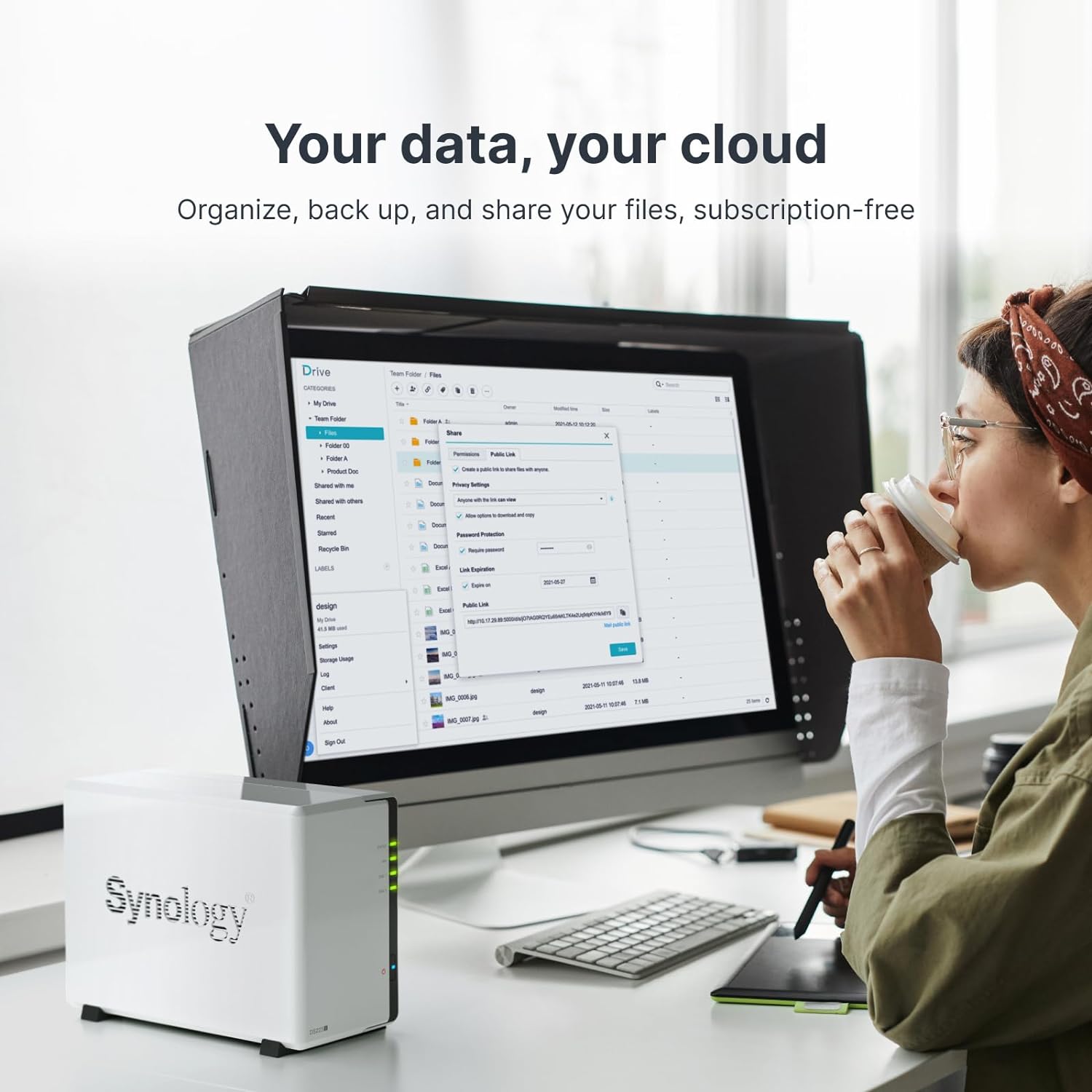
A NAS — short for Network Attached Storage — is simply a small box you keep at home that holds hard drives and connects to your home network. Every device in your house (phones, laptops, smart TVs) can then reach those drives over Wi-Fi or a cable, just like a private cloud that you own and control. Think of it as Google Drive or iCloud, except the files live in your home instead of a company’s data center, and you stop paying a monthly subscription the moment the hardware is paid off. If you’ve ever had the unsettling thought that you’re renting your own memories from a tech giant, a NAS is the practical answer. This guide compares two of the most popular entry-level two-bay NAS units available in 2026 — the Synology DS223j and the UGREEN DXP2800 — and ends with a plain “if X, then Y” decision rule so you leave knowing which one to buy.
| EDITOR'S PICKUGREEN NAS DXP2800 2-Bay Deskto… | Mid-tierSynology DS223 Home & Office Ba… | Budget pickSynology 2-Bay DiskStation DS22… | |
|---|---|---|---|
| CPU | Intel N100 quad-core | — | — |
| RAM included | 8GB DDR5 | 2GB DDR4 | 1GB DDR4 |
| Network port | 2.5GbE | — | — |
| M.2 slots | 2 | — | — |
| HDMI out | 4K HDMI | — | — |
| Price | $389.99 | $284.99 | |
| See on Amazon → | See on Amazon → | See on Amazon → |
What You’re Actually Choosing Between
On the surface, both devices accept two hard drives, connect via Ethernet, and serve files to your network. The meaningful difference sits underneath the hood: the processor architecture and the software ecosystem.
The Synology DS223j runs a Realtek ARM-based processor — a chip family designed for low power draw and simple storage tasks. ARM chips are efficient and quiet, but they have a ceiling. The DS223j’s sibling, the DS223 (same enclosure, different chip), uses a faster Cortex-A55 ARM core. Both ship with Synology’s DSM (DiskStation Manager) operating system — a polished, point-and-click web interface that reviewers at PCMag and Tom’s Guide consistently describe as the most approachable NAS software on the market.
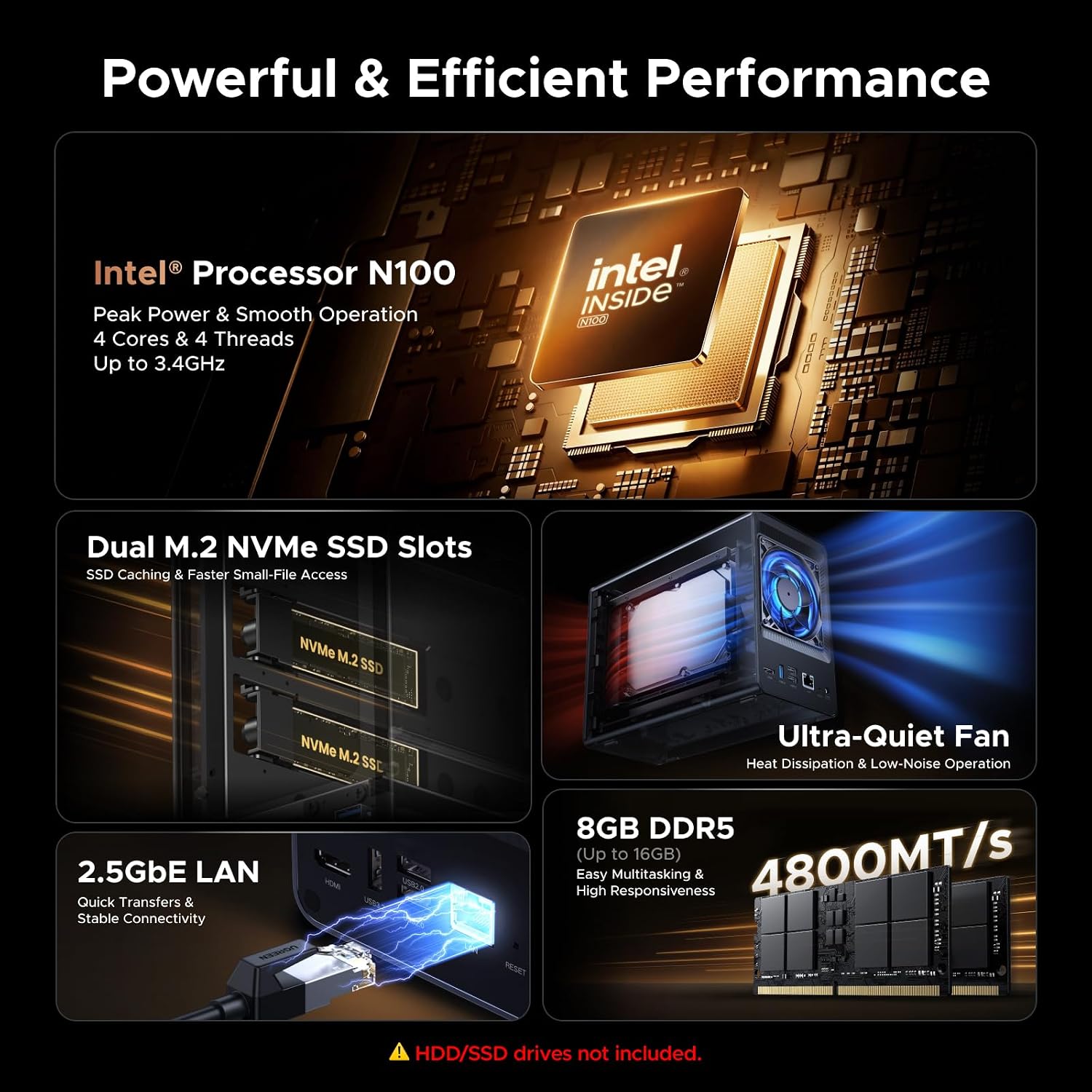
The UGREEN DXP2800, by contrast, runs an Intel Celeron N100 — an x86 processor from the same architecture family as your laptop. That distinction unlocks two capabilities: native hardware transcoding for Plex Media Server (meaning the NAS converts video formats in real time without straining the CPU), and full compatibility with essentially any Docker container or Linux application you might want to run. UGREEN ships the DXP2800 with its UGOS Pro software, which borrows visual cues from DSM but has a shorter track record.
By the numbers — key specs at a glance:
| Feature | Synology DS223j | Synology DS223 | UGREEN DXP2800 |
|---|---|---|---|
| CPU architecture | ARM (Realtek RTD1619B) | ARM (Cortex-A55) | x86 (Intel N100) |
| RAM | 1 GB DDR4 | 2 GB DDR4 | 8 GB DDR5 |
| Plex hardware transcoding | No | No | Yes |
| Docker support | Limited | Limited | Full |
| Approx. street price (drives not included) | ~$170 | ~$230 | ~$300 |
SmallNetBuilder’s NAS Buying Guide and Benchmark Archive confirms that ARM-based Synology units comfortably handle file serving, backup agents, and photo management — but encounter meaningful performance limits when asked to transcode 4K video in real time.
The Three Buyer Profiles: Which Device Fits You?
H3: The Everyday Family Backup User
If your primary goal is automatic photo backup from everyone’s phones, a shared family folder, and a reliable destination for Time Machine (Mac) or Windows File History backups, you are in the simplest tier of NAS ownership — and the Synology DS223j delivers everything you need.
The DS223j’s ARM processor has ample headroom for file serving, Synology’s Photos app, and simultaneous backups from three or four household devices. PCMag’s “The Best NAS (Network Attached Storage) Devices” guide repeatedly places Synology’s entry-level two-bay units at the top of the beginner category precisely because the software — DSM — holds your hand through every step. Setup involves inserting drives, answering a browser-based wizard, and installing the Photos and Active Backup packages. No command line required.
The honest limitation: the DS223j’s 1 GB of RAM means you will feel sluggishness if you try to run Synology Photos’ AI face-recognition indexing across a library of 50,000+ images while simultaneously backing up two laptops. For heavy photo libraries, step up to the DS223 and its 2 GB of RAM.
Synology
In stock on Amazon
Check price on AmazonH3: The Local Media Streamer
If you have a growing collection of ripped Blu-rays, downloaded films, or home video in mixed formats, and you want Plex or Jellyfin to serve them to every screen in the house, the processor question becomes critical.
TechRadar’s “Best NAS drives 2025” roundup draws a clear line: ARM-based NAS units can direct-play files to capable clients (a modern Apple TV, Roku, or smart TV that natively understands the video format), but they cannot transcode. Transcoding — converting a video format on the fly because the receiving device can’t play the original — requires dedicated hardware decode capability. The Intel N100 inside the UGREEN DXP2800 includes Intel Quick Sync hardware transcoding, which Plex recognizes natively. A single 4K stream transcoding in real time uses roughly 15–20% of the N100’s capacity, leaving headroom for simultaneous Docker workloads.
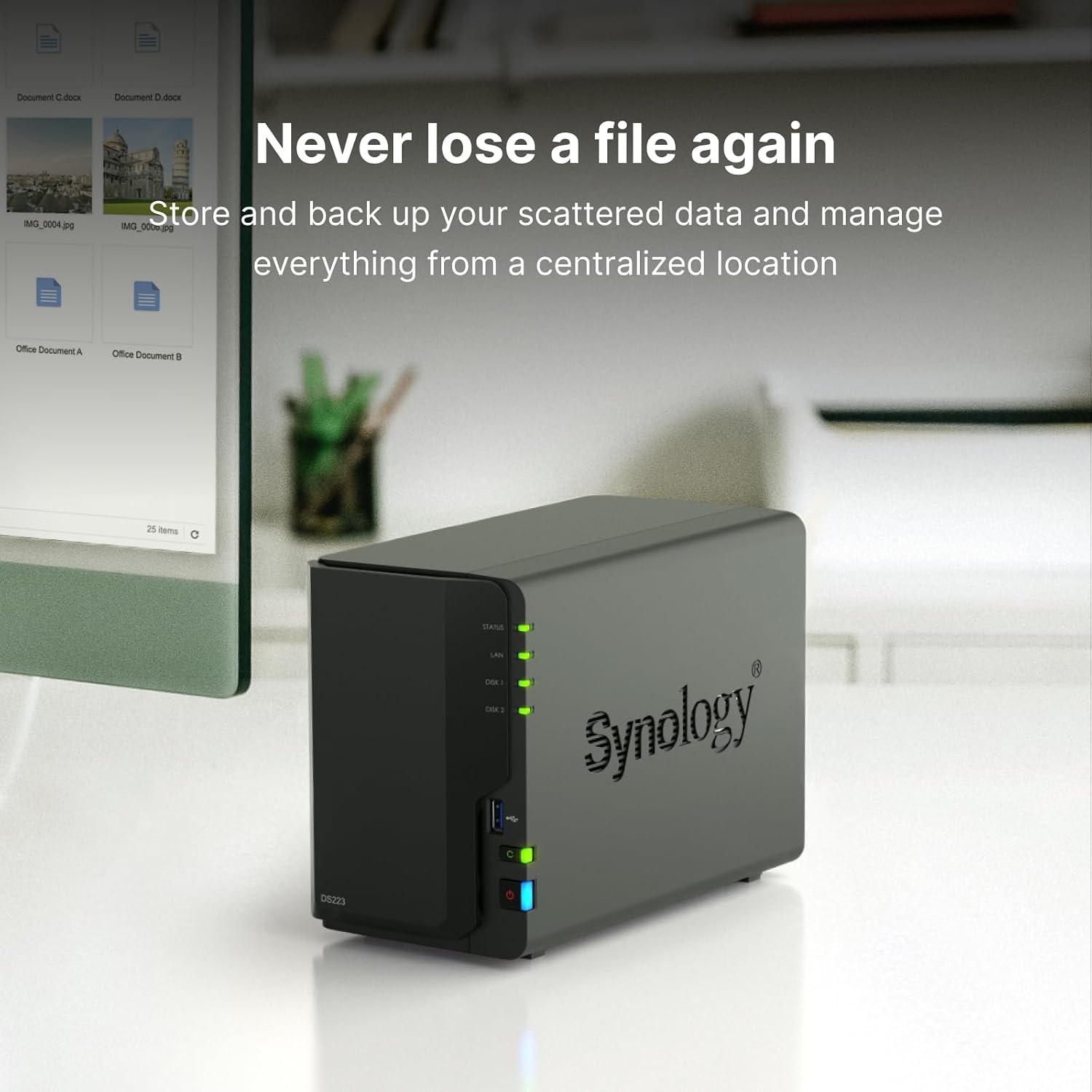
The Synology DS223 can serve as a Plex server for a household where every device plays files directly without transcoding. If that describes your setup reliably, the DS223 is adequate and costs less. If you have even one device — an older laptop, a guest’s phone, a remote viewer — that needs transcoding, the DXP2800’s Intel chip is not a luxury; it’s a requirement.
Synology
$284.99
In stock on Amazon
Check price on AmazonH3: The Self-Hosted App Enthusiast
If you already know what Docker is, have considered running Home Assistant, Nextcloud, Vaultwarden, or a personal Gitea instance, and expect the NAS to be a general-purpose home server rather than a pure storage appliance, the UGREEN DXP2800 is the correct choice at this price tier.
CNET’s “Best NAS Devices” buying guide notes that x86 architecture is the reliable path to full Docker compatibility because the container ecosystem was built for x86 first. ARM Docker support on Synology exists — DSM’s Container Manager package is functional — but a meaningful share of community-maintained container images are x86-only or ship ARM builds with known limitations. The DXP2800’s 8 GB of DDR5 RAM also provides genuine multitasking headroom: Plex, a home automation stack, a password manager, and active file serving can coexist without memory pressure that would cripple a 1 GB or 2 GB ARM unit.
UGREEN’s UGOS Pro software is younger — the brand built its reputation in USB hubs and docking stations before entering NAS hardware — and the community-verified how-to resource depth does not yet match Synology’s. Ars Technica’s NAS ecosystem coverage notes Synology’s consistent update cadence and its practice of publishing end-of-support dates publicly, a discipline most competitors have not adopted. Buyers choosing the DXP2800 for advanced workloads should factor in that troubleshooting will sometimes require consulting primary documentation rather than finding a solved thread from 2019.
UGREEN
$389.99
In stock on Amazon
Check price on AmazonRemote Access, Privacy, and the Cloud-Replacement Reality
One of the most common motivations reviewers name is privacy: the desire to stop handing photos and documents to a corporation whose business model involves analyzing them. That motivation is valid, but “cloud replacement” has a step most buying guides skip — remote access.
A NAS on your home network is only reachable from inside your house by default. To reach your files from a work laptop at the office or from a hotel on the road, you need a remote access solution. Synology provides QuickConnect, a relay service that routes your connection through Synology’s servers — easy to set up, but it introduces a third-party intermediary, which undercuts the privacy argument slightly.
The cleaner alternative is Tailscale, a free VPN service (a secure encrypted tunnel between two devices over the internet) that works on both Synology and UGREEN hardware. Tailscale installation on DSM is straightforward via the package manager; on the DXP2800, it runs natively as a Docker container. Either approach creates a direct encrypted connection to your home network from anywhere, with no third-party relay involved.
Opening ports directly on your router — what’s called port forwarding — is an approach you should avoid on a first NAS setup. Every open port is a potential attack surface, and home NAS devices exposed directly to the internet have been targets of documented ransomware campaigns. Tailscale or Synology QuickConnect are both materially safer starting points.
Drives, RAID, and the Backup Math You Need to Do Once
The NAS enclosure is only half the purchase. You need hard drives, and the choice matters more than most buyers expect.
For a first two-bay NAS, NAS-rated drives — Western Digital Red Plus, Seagate IronWolf, or Toshiba N300 — are the right starting point. Consumer desktop drives are not rated for the 24/7 vibration environment inside a NAS and carry shorter warranties. PCMag’s “The Best NAS (Network Attached Storage) Devices” guide consistently recommends starting at 4 TB per bay (approximately $80–$100 per drive at current 2026 pricing), which gives you 4 TB of usable storage in RAID 1 or 8 TB in JBOD — enough for most family photo and document libraries.
RAID 1 mirrors your data across both drives simultaneously. If one drive fails, your data survives on the other. This is valuable protection — but it is not a backup. RAID protects against drive failure; it does not protect against accidental deletion, ransomware that encrypts both mirrors simultaneously, or a house fire. The 3-2-1 rule — three copies of your data, on two different media types, with one offsite — is the standard that experienced NAS owners arrive at eventually. Synology’s Hyper Backup app makes scheduled backups to an external USB drive or a cloud destination (Backblaze B2 is a popular low-cost option) straightforward to configure. UGREEN’s backup tooling is functional but less mature at this writing.
Frequently Asked Questions
What is the real difference between the Synology DS223j and the DS223?
The DS223j uses 1 GB of RAM and a slightly slower ARM variant; the DS223 uses 2 GB of RAM and a faster Cortex-A55 core. For pure file serving and photo backup, the DS223j is sufficient. If you want Synology Photos’ AI face-recognition indexing across a large library, or want to run a lightweight local Plex server, the DS223’s extra RAM makes the experience noticeably smoother. For a first-time buyer who isn’t sure yet, the DS223 is the better long-term investment for roughly $60 more.
Do I need the UGREEN DXP2800’s Intel processor for Plex?
It depends on your clients. If every device on your network can play files natively — a modern Apple TV, Roku, or smart TV — ARM is sufficient. If any device needs the NAS to convert video formats on the fly, you need hardware transcoding, which requires the Intel N100. For Docker beyond Synology’s supported container list, x86 architecture opens the full ecosystem.
What hard drives should I buy for a first two-bay NAS?
Two NAS-rated drives of equal capacity: Western Digital Red Plus or Seagate IronWolf in the 4 TB–8 TB range cover most households. Match capacity exactly so RAID 1 configuration is straightforward. Avoid pulling drives from external USB enclosures on a first build — the warranty and vibration-rating uncertainty isn’t worth the modest price savings when you’re protecting irreplaceable files.
How do I access NAS files remotely without opening router ports?
Synology QuickConnect works out of the box — create a free Synology account and access files through a browser or the DS File mobile app. For a privacy-first setup, Tailscale provides an encrypted peer-to-peer connection that doesn’t route through a third party. Both approaches avoid port forwarding entirely.
Is RAID 1 enough to protect my data?
RAID 1 is not a backup — it’s a high-availability configuration. It protects you from a single drive failure, not from theft, fire, ransomware, or accidental deletion. The minimum defensible setup for family photos is RAID 1 plus a periodic backup to an external USB drive stored elsewhere, or an automated cloud backup to a service like Backblaze B2. Think of RAID as your seatbelt and the offsite backup as your airbag — you want both.
The Decision Rule
If your primary goal is file consolidation, photo backup, and device backup with minimal configuration overhead and maximum software maturity, choose the Synology DS223 — not the DS223j. The extra RAM earns its keep over a multi-year ownership window, and DSM’s fifteen-year track record, documented by Ars Technica’s NAS ecosystem coverage, means the software will keep improving long after you’ve forgotten you set it up.
If you know you want Plex with 4K transcoding, plan to run Docker containers for home automation or self-hosted apps, or describe yourself as someone willing to trade setup complexity for flexibility, the UGREEN DXP2800 is the correct choice. The Intel N100 and 8 GB of DDR5 RAM give you headroom that no ARM-based two-bay NAS at this price point can match.
Either way: buy NAS-rated drives, configure RAID 1, and set up an offsite backup before you consider the box fully operational. The NAS is the investment; the backup discipline is what makes that investment worth protecting.