September 19, 2026 • Darius Mosley • 11 min reading time • Prices verified June 29, 2026
The Fanless PoE Switch Buyer's Guide: Sizing Power and Ports for APs, Cameras, and VoIP
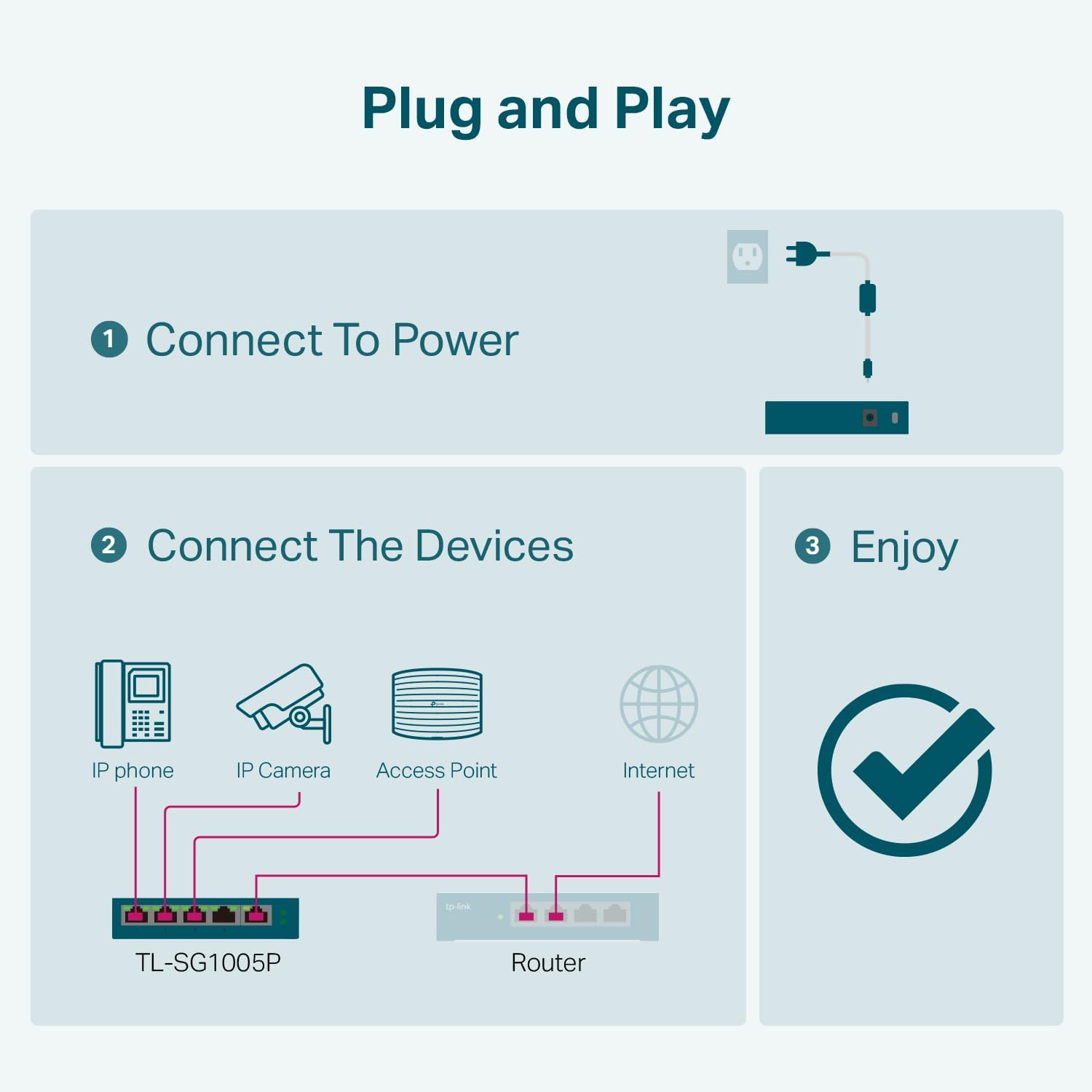
If you’ve ever wondered why your new security camera or wireless access point won’t turn on even though it’s plugged in — the answer is almost always the switch. A PoE switch (Power over Ethernet) is a network switch that delivers both data and electrical power through a single Ethernet cable, eliminating the need for a separate power adapter at every device. It’s what lets you mount a camera on a ceiling or an access point high on a wall without running an extension cord. The “fanless” part matters too: these switches use passive cooling (a metal chassis that dissipates heat rather than a spinning fan), so they’re quiet enough to live in a living-room AV cabinet, a bedroom closet, or anywhere else fan noise would be intolerable. This guide walks through everything you need to size one correctly — port count, watt budgets, PoE standards, and management features — so you don’t discover the hard way that your switch ran out of power headroom after device number three.
| EDITOR'S PICKNETGEAR 8-Port Gigabit Ethernet… | Mid-tierTP-Link TL-SG1016PE | 16 Port G… | Budget pickTP-Link TL-SG108PE V3 | 8 Port… | |
|---|---|---|---|
| Total ports | 8 | 16 | 8 |
| PoE ports | 8 | 8 | 4 |
| PoE budget | 123W | 150W | 64W |
| Managed? | ✗ | ✓ | ✓ |
| Fanless | — | — | ✓ |
| Mounting | Desktop/wall/rack | — | — |
| Price | $139.99 | $134.99 | $53.86 |
| See on Amazon → | See on Amazon → | See on Amazon → |
Why the Watt Budget Is the Number That Actually Matters
Most buyers pick a PoE switch by counting ports. That instinct isn’t wrong, but it’s incomplete. Every PoE switch has two distinct power constraints working simultaneously:
- Per-port maximum — the most watts a single port can deliver to one device (e.g., 15.4 W per port for standard PoE, 30 W for PoE+).
- Total PoE watt budget — the aggregate ceiling across all ports combined.
This is where budget-tier switches quietly bite buyers. A switch might advertise eight PoE ports rated at 30 W each, implying 240 W of capacity — but its actual total budget could be capped at 55 W or 62 W. Connect four hungry devices and the switch starts rationing power in port-priority order, leaving later-added devices dark or cycling.
Across aggregated reviews of the TP-Link TL-SG108PE, a recurring pattern emerges: owners report smooth operation with two or three PoE devices, then puzzling failures when they add a fourth. The spec sheet is the tell — the TL-SG108PE carries a 53 W total PoE budget across eight ports. That’s enough for two Wi-Fi 6 access points (roughly 12–15 W each) and one IP camera (5–8 W) with a few watts to spare, but not much more. Operators who’ve run into the ceiling in longer-form reviews note that the symptom — a device that powers on fine when connected alone, but fails when added to a loaded switch — is easy to misdiagnose as a bad cable or a faulty device.
The math is straightforward. Do it before you buy:
Sum the actual draw of every PoE device you plan to connect (not the theoretical port maximum — pull the device spec sheets). Add a 20–25% headroom buffer. That’s your minimum PoE watt budget.
By the numbers — typical device draw at negotiated PoE power:
| Device Type | Typical Actual Draw |
|---|---|
| Wi-Fi 6 AP (dual-band) | 10–15 W |
| Wi-Fi 6E AP (tri-band) | 15–22 W |
| IP camera (fixed, no heater) | 5–10 W |
| IP camera (PTZ or with IR) | 10–20 W |
| VoIP desk phone | 3–7 W |
A deployment of three Wi-Fi 6 APs (45 W), two fixed cameras (16 W), and two VoIP phones (10 W) totals roughly 71 W. With 25% headroom, you need a switch with at least 89 W of PoE budget — which rules out the TL-SG108PE and points you toward the Netgear GS108PP (123 W budget) or stepping up to the TP-Link TL-SG1016PE (150 W across 16 ports) if you anticipate growth.
PoE vs. PoE+ vs. PoE++: Matching the Standard to Your Devices
The IEEE 802.3 standards family defines three tiers of PoE delivery, and connecting a device to the wrong tier doesn’t usually cause damage — but it can cause underperformance or no power at all.
IEEE 802.3af (PoE): Delivers up to 15.4 W per port (12.95 W guaranteed at the device after cable loss). This covers most IP cameras, VoIP phones, and older access points. It’s the baseline standard, present on virtually every PoE switch sold today.
IEEE 802.3at (PoE+): Delivers up to 30 W per port (25.5 W at the device). This is the standard you need for modern Wi-Fi 6 and Wi-Fi 6E access points, PTZ cameras with motorized lenses, and any device with onboard heating elements for cold-weather operation. Most prosumer APs — the Ubiquiti UniFi U6 Pro, TP-Link Omada EAP670, and similar — are rated for PoE+ and will operate on standard PoE only in degraded or limited mode if they negotiate power at all.
IEEE 802.3bt (PoE++ or 4PPoE): Delivers up to 60 W (Type 3) or 90 W (Type 4) per port. This tier is relevant for high-performance APs like the Ubiquiti U6 Pro in full-power mode, outdoor APs with built-in heaters, some pan-tilt-zoom cameras, and video conferencing endpoints. Budget fanless switches rarely implement 802.3bt; you’ll find it on managed switches in the $150–$400 range.
The practical decision rule: if you’re running current-generation Wi-Fi 6E APs or any PTZ camera, your switch must be PoE+ (802.3at) or better on every port you intend to use for those devices. Confirm the AP or camera spec sheet — not the packaging claim, the actual IEEE standard listed under “Power Supply.”
Per IEEE Standards Association documentation on 802.3at and 802.3bt, switches negotiate power delivery via a handshake protocol (LLDP-MED or Cisco Discovery Protocol) — meaning a PoE+ device plugged into a PoE-only port will receive the lower power tier, not an error message. That silent degradation is why several Omada and UniFi AP owners in long-run reviews report inconsistent radio behavior before discovering their switch was PoE-only.
Managed vs. Unmanaged: Do You Actually Need VLANs?
The fanless PoE segment spans three meaningful management tiers:
Unmanaged PoE switches (e.g., the TP-Link TL-SG1005P, Netgear GS308EP in basic mode) plug in and run. No configuration interface, no VLANs, no QoS. Per PCMag’s small-switch roundup, these are appropriate when all your PoE devices live on a single trusted network and you’re not separating camera traffic from workstation traffic.
Smart-managed / “Easy Smart” switches (e.g., the TP-Link TL-SG108PE) offer a web GUI for VLAN assignment, port mirroring, bandwidth control, and QoS prioritization — without requiring a cloud controller or dedicated management VLAN. A system administrator reviewer of the TL-SG108PE documented running two access points and an IP camera on the device during a basement renovation, using the VLAN feature set as an intentional learning exercise. The consensus in aggregated owner reviews is that the Easy Smart interface is sufficient for 802.1Q VLAN tagging, trunk port configuration, and basic QoS — tasks that cover the typical home-lab camera isolation use case without controller dependency.
Full managed switches (e.g., the TP-Link TL-SG1016PE with Omada SDN integration, or Netgear GS108PP with full CLI) add SNMP, remote syslog, RADIUS integration, and the remote PoE port power-cycle feature that TL-SG1016PE owners running five or more Omada APs specifically call out as operationally meaningful. When an AP locks up at 2 a.m., power-cycling its port via a web interface — without touching the physical switch — is the difference between a minor inconvenience and a physical trip to the closet.
The decision frame:
- One network, no segmentation needed → unmanaged, save the budget
- Camera VLAN + IoT VLAN + main network → smart-managed minimum (TL-SG108PE or GS308EP)
- Five-plus APs, remote management, controller integration → full managed, budget for TL-SG1016PE tier or above
SmallNetBuilder’s switch analysis consistently notes that the GS308EP’s VLAN configuration stands out in its tier for accessibility: the web GUI guides non-professionals through 802.1Q setup with labeled port roles rather than raw configuration fields — a meaningful usability advantage over similarly priced competition.
Thermal Reality: Can Fanless Switches Handle Warm Closets?
The metal chassis on switches like the TL-SG108PE and GS308EP isn’t decorative — it’s the thermal management system. Heat from the switching circuitry and the PoE power delivery conductors transfers into the chassis and radiates passively. Multiple owners cite this construction as a deliberate reason they chose these models for living-space-adjacent deployments.
The tradeoff is ambient temperature sensitivity. Most fanless PoE switches in this tier are rated for operation up to 40°C (104°F). An attic or uninsulated closet in a hot climate can exceed that threshold for extended periods during summer — and sustained operation above rated temperature accelerates capacitor degradation and shortens the switch’s effective lifespan.
Practical guidelines:
- Interior closets with passive airflow: Generally fine year-round in most climates. Keep the switch elevated off the shelf floor and ensure there’s a few inches of clearance above the chassis.
- Warm equipment cabinets: Mount vertically if possible (chassis fins can assist convection), and avoid stacking other equipment directly on top.
- Attics or unconditioned spaces: Evaluate peak summer temperatures before committing. If the space regularly exceeds 35°C, a small fanless switch may run warm enough to shorten its lifespan meaningfully — a low-speed fan for the cabinet enclosure is worth considering.
The metal construction also earns these switches durable marks in owner reviews for longevity in home lab contexts — several operators report continuous operation spanning three to five years without failures in properly ventilated interior locations.
Frequently Asked Questions
How do I calculate whether my PoE switch has enough power budget for all my devices?
Pull the spec sheet for each PoE device you plan to connect and find its listed power consumption (in watts) at its PoE standard. Sum those numbers, then multiply by 1.25 to add a 25% headroom buffer. The result is your minimum required total PoE watt budget. Do not rely on per-port maximums to estimate total capacity — they’re independent limits, and many budget switches have total budgets far below the sum of their per-port ratings.
What is the difference between PoE, PoE+, and PoE++ and which standard do access points and cameras need?
Standard PoE (IEEE 802.3af) delivers up to 15.4 W per port and covers most cameras and VoIP phones. PoE+ (IEEE 802.3at) delivers up to 30 W and is required by most current-generation Wi-Fi 6 and Wi-Fi 6E access points. PoE++ (IEEE 802.3bt) delivers 60–90 W for high-demand devices. Check the device spec sheet for the IEEE standard it requires — not just “PoE compatible,” which can mean any tier.
Can I use a fanless PoE switch in a warm closet or attic year-round?
In a climate-controlled interior closet with adequate airflow clearance: yes, for most climates. In an attic or unconditioned space that can exceed 40°C (104°F) during summer: check the switch’s rated operating temperature and monitor peak ambient conditions. Sustained over-temperature operation shortens lifespan even if the switch doesn’t immediately fail.
Do I need a managed PoE switch just to set up a camera VLAN at home?
Not fully managed, but at least smart-managed. An unmanaged switch cannot tag or separate VLANs — all traffic shares one network. A smart-managed switch like the TL-SG108PE or GS308EP provides 802.1Q VLAN configuration through a web GUI without requiring a controller, which is sufficient for separating camera, IoT, and main network traffic at home.
What happens to my devices if I plug in more PoE devices than the switch’s watt budget allows?
The switch honors port priority — typically lower-numbered ports first — and simply doesn’t deliver power to ports that would push total draw over the budget. Affected devices receive no power, appear offline, and may cycle through boot attempts. Importantly, the switch logs no obvious error visible to the user, making this failure mode easy to misdiagnose as a cabling or device fault.
Is the TL-SG108PE’s “Easy Smart” management enough for basic VLAN segmentation without a controller?
Yes, for typical home-lab use cases. The Easy Smart web GUI on the TL-SG108PE supports 802.1Q VLAN tagging, trunk port configuration, and port-based VLAN assignment — all the components needed to isolate camera traffic or an IoT network from your main LAN. It does not require a cloud controller or Omada SDN license. Owners who’ve used it for this purpose in documented reviews confirm it handles the configuration without requiring CLI access, though the interface assumes familiarity with VLAN concepts.
If X, Then Y: The Decision Rules
- If your total PoE draw (with 25% buffer) exceeds 55 W and you need 8 ports or fewer → step from the TL-SG108PE to the Netgear GS108PP (123 W budget) without hesitation
- If you’re running five or more APs and need remote port power-cycle → the TL-SG1016PE’s web-based PoE control per port is the feature that earns its cost premium
- If you’re running any Wi-Fi 6E AP (tri-band) → confirm PoE+ (802.3at) on every AP port; standard PoE will leave radios degraded or dark
- If noise is the primary constraint → any metal-chassis fanless switch in this tier solves the problem; prioritize watt budget over brand
- If you need camera VLAN isolation without controller complexity → the GS308EP’s web GUI VLAN setup or TL-SG108PE Easy Smart are both viable; the GS308EP’s interface earns slightly more accessibility marks in owner consensus for first-timers