August 1, 2026 • Darius Mosley • 11 min reading time • Prices verified June 29, 2026
Budget Wi-Fi 7 Mesh: eero 7, Deco BE25, and Netgear Orbi 370 for Sub-$400 Upgrades
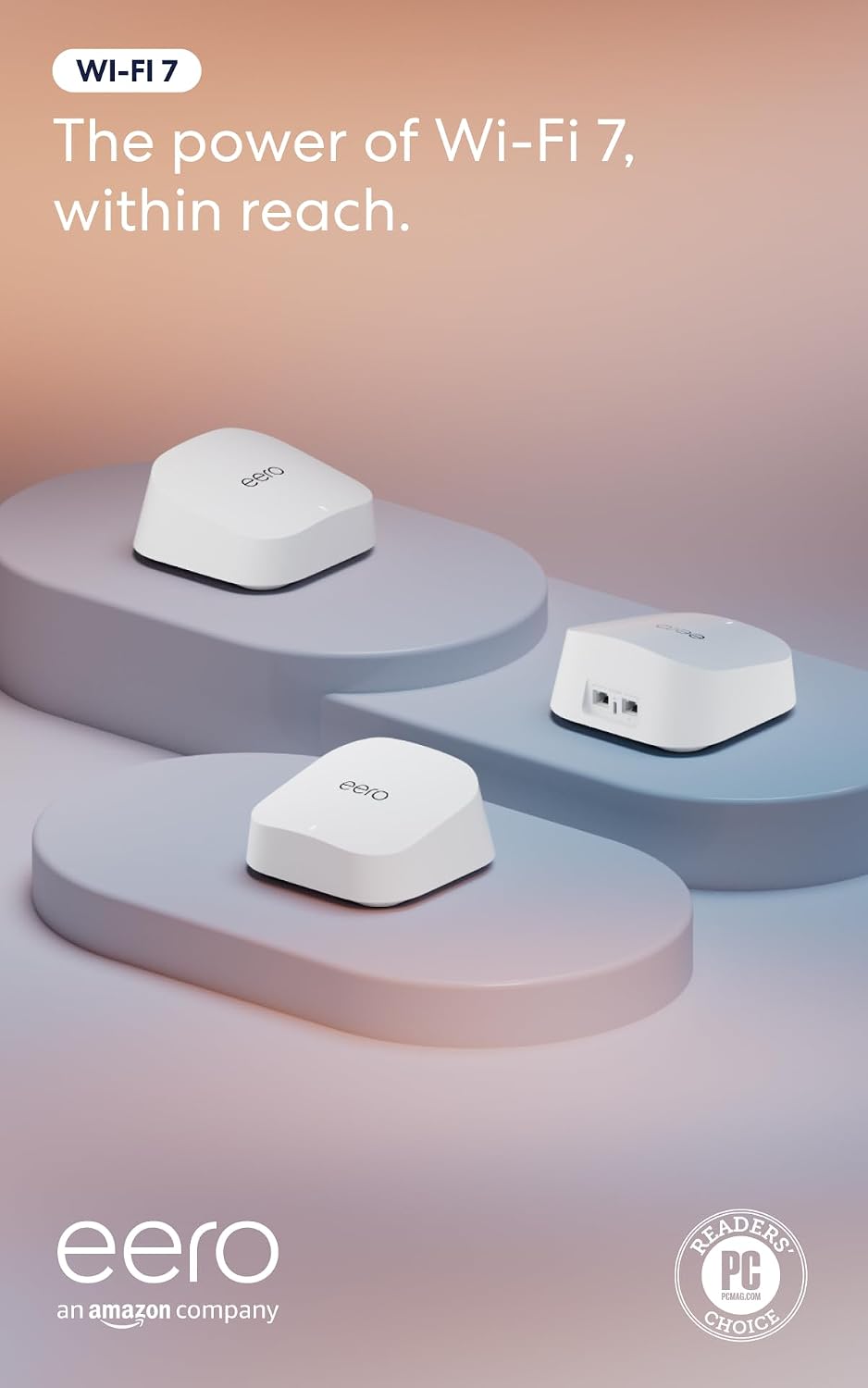
Wi-Fi 7 is the latest generation of home wireless technology — the standard that succeeded Wi-Fi 6 and 6E and promises faster speeds, lower lag, and better handling of homes packed with smart devices. A mesh system is a set of two or more networked units (called nodes) that blanket your whole home in a single, seamless signal rather than forcing you to remember which network name to connect to in which room. Until recently, Wi-Fi 7 mesh hardware lived in $600-and-up territory. That’s changing fast. The eero 7, TP-Link Deco BE25, and Netgear Orbi 370 have brought the standard within reach of sub-$400 budgets — in some cases, well under $300 for a two-node kit. If you’re replacing an aging Google WiFi, a first-gen Orbi, or an ISP-provided gateway, this is the comparison you actually need.
What follows is a decision-frame comparison, not a celebration of spec sheets. All three systems run Wi-Fi 7, all three target similar price brackets, and all three have real-world limitations worth naming before you hand over a card number. Let’s sort out which one belongs in your home.
| EDITOR'S PICKTP-Link Deco 7 Pro BE63 Tri-Ban… | Mid-tierAmazon eero 7 dual-band mesh Wi… | Budget pickTP-Link Deco 7 BE25 Dual-Band B… | |
|---|---|---|---|
| Bands | Tri-band | Dual-band | Dual-band |
| Wi-Fi class | BE10000 | — | BE5000 |
| Streams | 6 | — | 4 |
| Total speed | 10 Gbps | — | 5 Gbps |
| 2.5G ports | 4 | — | 2 |
| Coverage | — | 6,000 sq ft | 6,600 sq ft |
| Price | $399.99 | $349.99 | $219.99 |
| See on Amazon → | See on Amazon → | See on Amazon → |
What You’re Actually Comparing: Architecture First
The most important thing to understand about these three systems isn’t their Wi-Fi 7 branding — it’s their radio architecture. This determines how they handle backhaul (the private data lane between nodes) and how much of your internet speed actually reaches devices at the far end of the house.
Dual-band vs. tri-band is the defining split here:
- Dual-band systems (2.4 GHz + 5 GHz) must share their wireless bandwidth between device traffic and inter-node communication. When the backhaul and client connections compete for the same radios, throughput at satellite nodes degrades — sometimes significantly.
- Tri-band systems add a third radio (typically a second 5 GHz or a 6 GHz band), which can be dedicated to backhaul. Client devices get one set of radios; nodes talk to each other on a separate lane.
The Netgear Orbi 370 is a dual-band system. The eero 7 and Deco BE25 are tri-band. That’s the single biggest architecture difference in this comparison, and it should inform every use-case decision below.
Published specs at a glance:
| System | Bands | Max Wired Port | Node Count (Base Kit) | MLO Support |
|---|---|---|---|---|
| Amazon eero 7 | Tri-band (2.4 / 5 / 6 GHz) | 1 GbE | 3-pack common | Yes |
| TP-Link Deco BE25 | Tri-band (2.4 / 5 / 6 GHz) | 2.5 GbE | 2- or 3-pack | Yes |
| Netgear Orbi 370 | Dual-band (2.4 / 5 GHz) | 2.5 GbE | 2- or 3-pack | Limited |
MLO = Multi-Link Operation, a Wi-Fi 7 feature that bonds multiple bands simultaneously for lower latency and more stable throughput.
Head-to-Head: Three Systems, Three Use Cases
eero 7 — The Frictionless Upgrade
If the number one priority is getting a capable mesh network running without friction, the eero 7 has earned its reputation. Owners consistently describe the Bluetooth-guided onboarding as the most painless setup available in consumer mesh networking — plug in the first node, open the eero app, follow three screens. Buyers migrating from end-of-life Orbi Wi-Fi 6 systems specifically highlight the relief of not needing to reconfigure SSIDs, manually add satellites, or navigate a web UI.
PCMag’s review of the Amazon eero 7 (published in their ongoing mesh system coverage) identifies it as a strong value proposition for the sub-$300 tier, praising the app experience and reliable roaming. Tom’s Guide’s “Best Wi-Fi 7 Routers” roundup echoes this, recommending the eero 7 for households prioritizing seamless management over raw configurability.
The tradeoff is control. The eero ecosystem is intentionally closed. VLAN configuration requires an eero Professional subscription (a recurring monthly or annual fee), granular QoS controls are not accessible to standard users, and DNS-level content filtering requires the paid eero Plus tier. For a homeowner who wants a clean, reliable network with zero ongoing management overhead, that’s a fine bargain. For a home-lab builder who wants to segment IoT devices from workstations — it’s a hard wall.
The 1 GbE WAN port is the other limitation worth naming explicitly. If your ISP delivers multi-gig fiber (1.2 Gbps, 2 Gbps, or higher), the eero 7 hardware-caps your throughput at that port. Tom’s Guide’s Wi-Fi 7 roundup marks this as a meaningful constraint for anyone on a 2-gig plan. If your plan is 500 Mbps or 1 Gbps symmetrical, it’s a non-issue today — but worth knowing before a future ISP upgrade forces another hardware replacement.
TP-Link
$219.99
In stock on Amazon
Check price on AmazonTP-Link Deco BE25 — The Performance Case for Multi-Story Homes
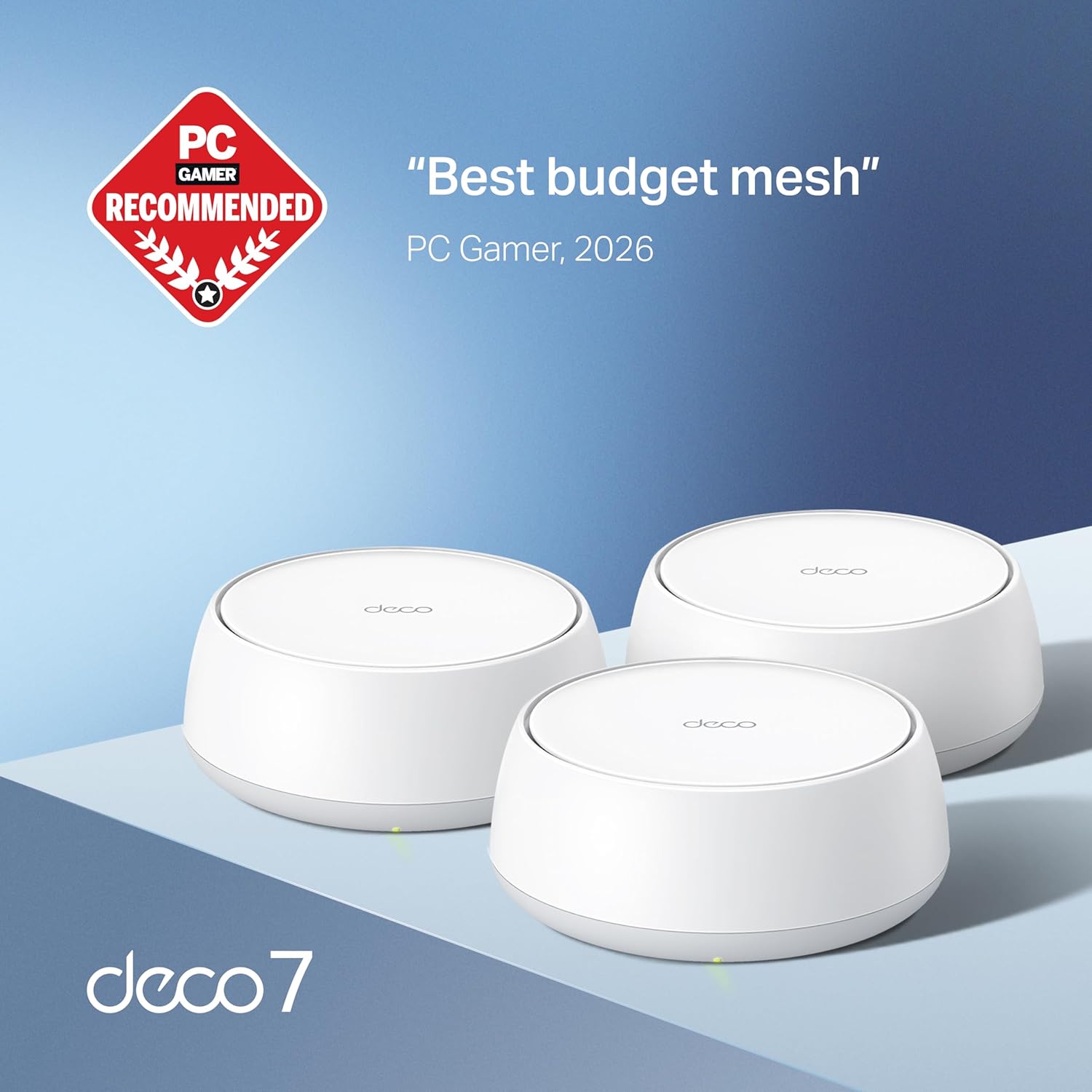
The Deco BE25 is the most technically complete system in this comparison. It ships with 2.5 GbE ports on every node — a meaningful hardware advantage over the eero 7 — supports full MLO across the 5 GHz and 6 GHz bands, and runs a tri-band architecture that keeps backhaul traffic from competing with your laptop’s video calls.
Tom’s Guide’s Deco BE25 review (2025) praises its throughput consistency across floors, a pattern that tracks with owner reports in multi-story deployments. Reviewers in three-story homes note that per-floor signal strength held up better than prior systems they’d used, and more than one owner ordered additional nodes immediately after deploying the base kit — a behavioral signal that the system earns trust fast enough to justify expansion.
The 2.5 GbE WAN port is immediately relevant for anyone on a multi-gig fiber plan. TechRadar’s feature “Wi-Fi 7: everything you need to know” notes that 2.5 GbE port inclusion is increasingly treated as a baseline expectation for next-generation mesh hardware, and the Deco BE25 delivers it at a price point where competitors still ship 1 GbE. SmallNetBuilder’s ongoing coverage of TP-Link’s Deco line consistently highlights the hardware value-to-port-spec ratio across the product family, and the BE25 follows that pattern.
Setup is not as frictionless as the eero. Initial configuration occasionally requires a second attempt, and some owners have documented connectivity drops that needed troubleshooting before stabilizing — though reported retention rates suggest the underlying performance justifies the effort. The TP-Link Deco app is capable but less polished than eero’s. VLAN support and advanced segmentation features are accessible within the Deco app’s home network settings without a subscription — a meaningful differentiator from the eero ecosystem for buyers who want basic network control without ongoing fees.
Amazon
$349.99
In stock on Amazon
Check price on AmazonNetgear Orbi 370 — The Wired-Backhaul Case
The Orbi 370 is the architectural outlier here, and Netgear isn’t obscuring that. This is a dual-band Wi-Fi 7 system — 2.4 GHz and 5 GHz only, with no dedicated 6 GHz radio. That means wireless backhaul competes with client traffic on the same bands. In a small apartment or a two-node deployment where nodes sit within clear line of sight, that’s manageable. In a three-story home with nodes placed to cover separate floors through multiple walls, PCMag’s “Best Wi-Fi 7 Mesh Network Systems” roundup flags this architecture as a meaningful performance ceiling compared to tri-band alternatives.
So why buy it? Two reasons surface consistently in owner and editorial coverage.
First, the 2.5 GbE wired port. For buyers connecting a NAS, gaming desktop, or workstation directly via Ethernet — or on a multi-gig fiber plan — the 2.5G port delivers immediately. The argument that frames this decision well: even if the wireless standard’s headroom isn’t being fully utilized today, investing in the wired port infrastructure now avoids another hardware replacement when your ISP upgrades your tier. TechRadar’s Wi-Fi 7 overview supports this framing, noting that 2.5G wired connectivity is the infrastructure investment that outlasts individual wireless generations.
Second, wired backhaul compatibility. A dual-band wireless backhaul limitation becomes irrelevant the moment you run Ethernet between nodes. Buyers who already have structured wiring — or who are willing to run a single Ethernet cable between floors — neutralize the Orbi 370’s core architectural weakness entirely. In that configuration, the Orbi 370 is a credible system: 2.5G wired port, Wi-Fi 7 client-side radio capabilities including improved OFDMA scheduling for dense device environments, and Netgear’s relatively accessible router UI for QoS and traffic management, all at a competitive price point.
The Orbi 370 is not the right choice for buyers who need wireless-only mesh across a large home. It is a reasonable choice for buyers in smaller footprints, or those running Ethernet between nodes, who want the wired port spec without paying tri-band pricing.
TP-Link
$399.99
In stock on Amazon
Check price on AmazonThe Decision Rule
Here’s the explicit if/then frame for matching system to buyer:
- If you want zero-friction setup and your plan is ≤1 Gbps: The eero 7 is the right call. Accept the closed ecosystem and 1 GbE WAN cap in exchange for the most seamless onboarding and lowest long-term management overhead in this tier. PCMag’s eero 7 review and Tom’s Guide’s roundup both affirm this recommendation for its target use case.
- If you’re in a multi-story home, on a multi-gig plan, or want basic VLAN capability without a subscription: The Deco BE25 is the pick. The 2.5G ports, tri-band backhaul, and app-based segmentation earn the slight setup complexity premium. Tom’s Guide’s Deco BE25 review and SmallNetBuilder’s Deco line coverage support this framing.
- If you’re running wired backhaul between nodes and prioritize the 2.5G port over wireless range performance: The Orbi 370 is viable and fairly priced at its street price. Don’t deploy it as a wireless-only mesh in a large or multi-story home — its dual-band architecture will underperform both alternatives in that scenario.
One pattern worth naming across all three systems: most buyers in this segment are replacing failed or aging hardware — first-gen Orbi, original Google WiFi, ISP-provided combo units — not chasing maximum performance. The upgrade bar is relatively low, and all three systems will clear it comfortably. The real tiebreakers are architecture, port spec, and ecosystem openness, not raw throughput benchmarks on a controlled test bench.
Frequently Asked Questions
Is Wi-Fi 7 worth it if my internet plan is only 500 Mbps or 1 Gbps? Yes, with a caveat. The benefit isn’t faster peak internet speed — it’s better internal network performance: lower latency, more reliable connections across many simultaneous devices, and smarter band management via MLO. A household with 40+ smart home devices, multiple video streams, and one or more work-from-home setups will notice the difference even at 500 Mbps. TechRadar’s “Wi-Fi 7: everything you need to know” covers this distinction in detail.
What is the real difference between dual-band and tri-band Wi-Fi 7 mesh systems? A tri-band system has a dedicated radio for node-to-node communication (backhaul), so client devices don’t compete with inter-node traffic for bandwidth. Dual-band systems share that radio space, which limits throughput to devices connected at satellite nodes — particularly in larger homes where nodes are placed farther apart or on separate floors.
Will the eero 7 work as a drop-in replacement for an end-of-life Orbi system? Functionally, yes. The eero app handles migration cleanly, and buyers replacing Orbi Wi-Fi 6 hardware consistently report smoother onboarding. The one thing you give up is any advanced configuration carried over from the Orbi — eero’s ecosystem is more closed and locked to app-level controls, with subscription requirements for features like VLAN segmentation.
Do I need 2.5G Ethernet ports on my mesh nodes if my ISP only delivers 1 Gbps? Not for today’s throughput, but the future-proofing argument is real. Multi-gig residential plans (1.2–2 Gbps) are commercially available in many markets as of mid-2026, and ISPs are actively expanding them. A 2.5G port on your router today avoids a hardware swap when your plan eventually exceeds 1 Gbps. Both the Deco BE25 and Orbi 370 include 2.5G ports; the eero 7 does not.
How many nodes does a three-story 3,500 sq ft home actually need? Three nodes is the reliable baseline for most three-story homes in that footprint — one per floor. Wall material matters significantly: older homes with plaster walls or metal fire-stopping can require a fourth node or Ethernet backhaul to maintain throughput on the upper floor. Manufacturer coverage claims are based on open-plan conditions; real homes with interior walls, closets, and stairwells will see reduced effective range.
Can these budget Wi-Fi 7 systems handle 80+ connected smart home devices reliably? All three support high device counts on paper, and Wi-Fi 7’s improved OFDMA — a technology that lets the router serve multiple devices simultaneously on the same channel — helps in dense environments. In practice, owners report that 80+ device households benefit most from keeping IoT devices on 2.4 GHz and ensuring nodes are placed to minimize channel congestion. The Deco BE25 and eero 7, with dedicated 6 GHz bands, have more usable spectrum headroom for dense environments than the dual-band Orbi 370.