August 9, 2026 • Darius Mosley • 9 min reading time • Prices verified June 29, 2026
10G SFP+ Switches for the Home Lab Core: When Gigabit Isn't Enough Anymore
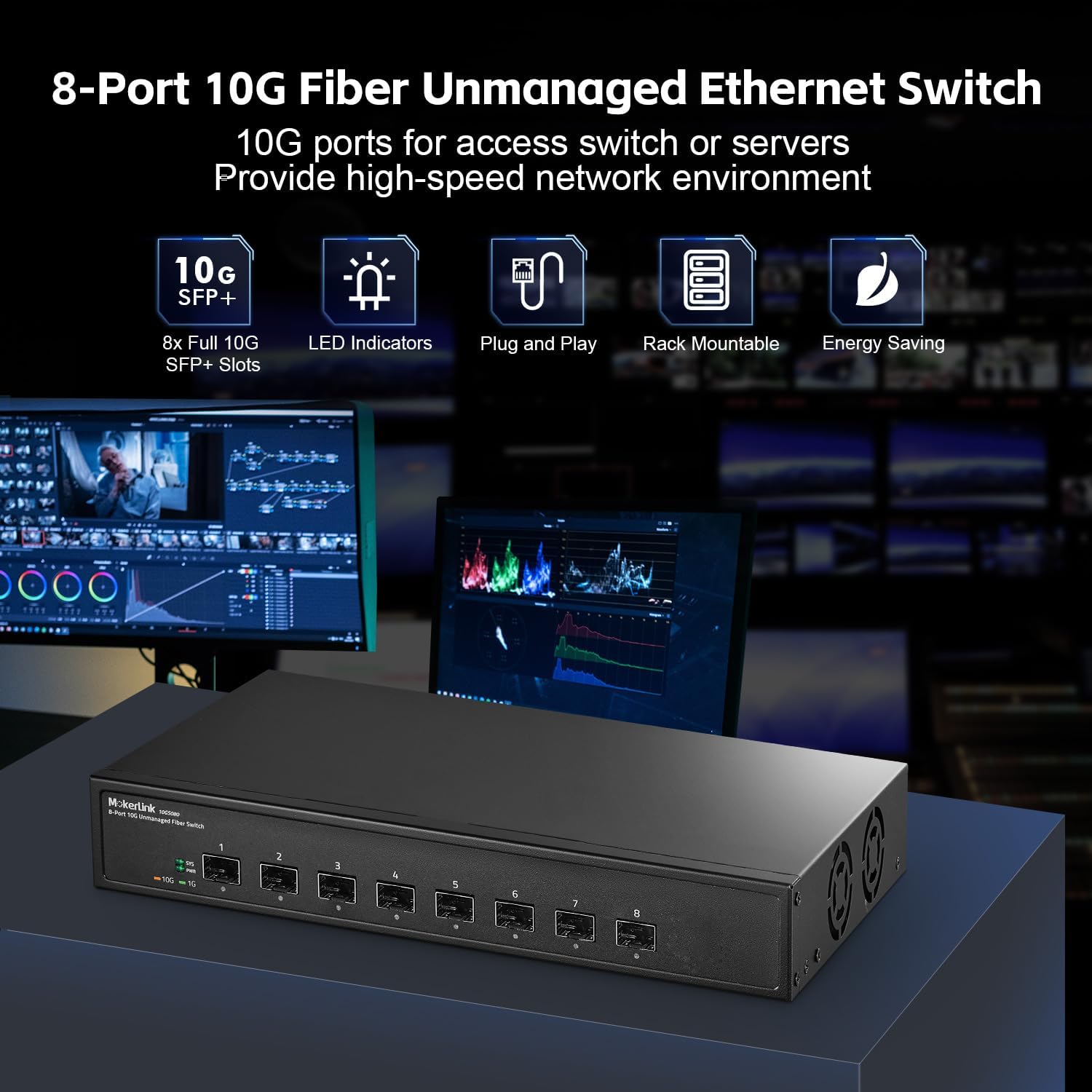
If your home network feels fast until it doesn’t — big file transfers between computers suddenly crawling, your NAS (Network Attached Storage, essentially a personal hard-drive server) maxing out at 112 MB/s when it should hit 500 MB/s, or your shiny new multi-gig fiber connection getting throttled at the switch — you’ve run into the Gigabit ceiling. Standard home network switches top out at 1 Gigabit per second (1 Gbps) per port, a speed that felt generous in 2010 but is now a genuine bottleneck for anyone running dense local storage, virtualization, or multi-gig ISP service. The answer, increasingly, is a switch with 10G SFP+ ports. SFP+ is a small, modular connector slot that accepts plug-in transceivers — think of it like a USB port that carries network traffic at ten times the speed of conventional home networking. This guide explains when upgrading actually makes sense, what specs matter, and which products are worth your rack space in 2026.
Do You Actually Need 10G Yet? Diagnosing the Bottleneck First
Before spending $300–$800 on a 10GbE core switch, it helps to confirm where your bottleneck actually lives — because the answer shapes which product tier makes sense.
The cases where 10G pays off immediately:
- NAS-heavy workflows. Modern NAS units from Synology and QNAP ship with 10G ports standard on prosumer models. If your NAS holds video editing scratch space, VM datastores, or a Plex library that multiple clients hammer simultaneously, your 1G uplink is almost certainly the constraint. Aggregated reviews at SmallNetBuilder consistently flag the NAS-to-switch link as the first place to upgrade.
- Multi-gig WAN service. As of mid-2026, multi-gig fiber (2.5G, 5G, or 10G residential tiers) is available from major ISPs in a growing number of markets. If your router or ONT hands off 2.5G+ but your switch backplane is 1G, you’re leaving purchased bandwidth on the table. PCMag’s switch coverage notes this WAN port mismatch as one of the most common — and most avoidable — upgrade errors.
- Virtualization clusters. Running Proxmox or ESXi on even two or three machines generates enough east-west traffic (server-to-server, not just server-to-internet) to saturate 1G links during VM migrations or storage replication.
- High-density Wi-Fi 6E APs. A single Wi-Fi 6E access point can theoretically aggregate over 3 Gbps of wireless client traffic. Most deployments don’t saturate 1G in practice, but if you’re running three or more APs off the same uplink switch, a 2.5G or 10G uplink to your core is the right call.
Where 1G is still fine:
A household with one NAS, standard gigabit fiber, and general-purpose Wi-Fi clients — browsing, video streaming, casual gaming — won’t see a meaningful quality-of-life change from a 10G core. The honest answer is that for this use case, the money is better directed at a better access point or a stronger router.
SFP+ vs. RJ45 10G Ports: The Connector Decision Matters
When you start pricing 10G switches, you’ll notice two flavors: SFP+ ports (which accept plug-in modules or DAC cables) and 10GBase-T ports (the familiar copper RJ45 jacks you use on normal switches, just rated for 10G). The difference isn’t cosmetic.
SFP+ advantages:
- Lower power draw per port — typically 1–2W per SFP+ port active vs. 4–8W for 10GBase-T copper
- Lower latency — important for iSCSI storage and real-time VM migration
- Flexibility: the same port accepts a short-range fiber transceiver, a long-range fiber module, or a Direct Attach Copper (DAC) cable (a fixed copper twinax cable with SFP+ ends, effectively a cheap, low-power patch cable for rack-to-rack runs under 3–7 meters)
- Aggregated long-run reviews note cooler, quieter switches when the port count is SFP+-heavy
10GBase-T advantages:
- Works with standard Cat6A patch cables — no transceivers to buy, no DAC inventory to manage
- Easier in environments where devices don’t have SFP+ ports (most consumer devices, most desktop workstations)
- More forgiving of mixed-speed connections: many 10GBase-T ports auto-negotiate down to 2.5G or 1G
For a home lab core switch — the device at the center of your rack that everything else talks to — SFP+ is generally the right call. Your high-speed devices (NAS, hypervisors, 10G-capable access points) will connect via DAC or fiber, and the switch’s 1G or 2.5G RJ45 ports handle everything else. As AnandTech’s SFP+ optics and DAC cable explainer details, a quality DAC cable for a short rack run costs $15–$30 and adds essentially no complexity.
The Market Landscape: What $200–$800 Buys You in Mid-2026
The 10G home lab switch market has matured substantially. Here’s how the tiers break down.
By the numbers — representative 2026 pricing:
| Price Range | What You Get |
|---|---|
| $180–$280 | 8× SFP+ ports, fanless or semi-passive, basic L2 managed (Mikrotik CRS309, TP-Link TL-SX3008F) |
| $300–$500 | 8–12× SFP+ + 2–4× 25G uplinks or combo RJ45, full L2/L3 managed (Netgear M4250, Ubiquiti USW-Pro-Max-24) |
| $550–$800+ | 24× SFP+ or mixed 10G/25G/40G, rack-mount, enterprise-grade L3, PoE options (Ubiquiti USW-Enterprise-XG-24, TP-Link Omada SX6632YF) |
The $180–$280 tier is where most home lab builders start. The MikroTik CRS309-1G-8S+IN — an 8-port SFP+ switch with a single 1G RJ45 management port — is a perennial entry point. Operators in long-run community reviews consistently flag its flexibility (it runs both RouterOS and SwitchOS) alongside a learning curve that rewards time investment. The TP-Link TL-SX3008F sits in the same footprint with a gentler management interface; PCMag’s switch coverage rates TP-Link’s Omada platform as one of the more approachable managed-switch ecosystems for prosumers moving up from unmanaged hardware.
The $300–$500 tier is where the decision gets interesting. Ubiquiti’s USW-Pro-Max-24 (with its mix of 2.5G RJ45 and 10G SFP+ ports) integrates cleanly into a UniFi ecosystem — if you’re already running UniFi APs and a UniFi Dream Machine Pro as your router, the operational benefit is real: single-pane-of-glass management, automatic VLAN provisioning, and consistent firmware cadence. But as Ars Technica’s home networking beyond-gigabit overview notes, UniFi’s value proposition depends heavily on ecosystem commitment. Switching out later means re-learning a new management platform and repricing your entire stack.
The $550–$800+ tier is the rack anchor for builders running multiple hypervisors, a 10G-connected NAS array, and heavy VLAN segmentation. The Ubiquiti USW-Enterprise-XG-24 offers 24 10GbE RJ45 ports — a deliberate choice for labs where most devices are server-class hardware with 10GBase-T NICs rather than SFP+. TP-Link’s Omada SX6632YF pushes into 25G uplinks, which future-proofs the core against 25G NIC adoption in next-generation workstations.
VLAN Segmentation and L2 vs. L3: Don’t Buy a Dumb Switch for a Smart Network
This is where home lab builders most commonly underspec. A switch is sold as either L2 (Layer 2, data-link layer — handles basic switching, VLANs, and port aggregation) or L3 (Layer 3, adds IP routing between VLANs onboard the switch). Most home networking gear is L2.
If your architecture involves multiple VLANs — IoT devices isolated from your main LAN, a management VLAN for your network gear, a separate VLAN for guest Wi-Fi, a storage VLAN for iSCSI traffic — you need something to route between them. In a pure UniFi or Omada deployment, that routing often happens at the gateway (the router/firewall), and the switch just enforces VLAN tags. That works fine up to moderate complexity.
But if you’re running Proxmox VMs that need to talk across VLANs without hairpinning back to the firewall, or you have a dedicated storage VLAN that should never touch the internet but needs to reach multiple server VLANs, L3 switching at the core saves latency and firewall throughput. Tom’s Guide’s managed switch buying coverage frames this as the key question for home lab builders: “Is your router doing work it shouldn’t have to?”
L3 capability at the 10G tier adds cost — expect to pay $80–$150 more for L3 vs. a comparable L2-only switch. For builders with three or more VLANs and two or more hypervisors, the math typically justifies it.
Ecosystem Lock-in: The Honest Tradeoff Table
Every prosumer networking platform has gravity. Once your switches, APs, and gateway are all managed by one controller, migrating is a real project — not a weekend task.
| Platform | Management | Lock-in Level | Firmware Track Record | Best Fit |
|---|---|---|---|---|
| Ubiquiti UniFi | UniFi Network App (local or cloud) | High | Generally strong; some rocky major-version transitions noted in community reviews | Builders committed to UniFi APs + gateway |
| TP-Link Omada | Omada Controller (local or cloud) | Medium | Improving; SmallNetBuilder notes faster bug-fix cycles since 2024 | Cost-sensitive prosumers, mixed-brand tolerance |
| MikroTik | RouterOS / Winbox | Low (open standards) | Stable, long-lived, security patches consistent | CLI-comfortable builders, heavy customization |
| Netgear M-series | Netgear Insight or local GUI | Low-medium | Reliable; less frequent feature additions | SMB buyers, simpler topologies |
The lock-in conversation matters most if you’re building toward a stack you’ll run for five or more years. Ubiquiti’s feature velocity is a real asset — but the flip side is that Ubiquiti has occasionally sunset older hardware faster than buyers expected, a pattern Ars Technica’s networking coverage has flagged. MikroTik switches run current RouterOS on hardware that’s seven or eight years old, which is a meaningful data point for home lab builders who hate re-buying infrastructure.
The Decision Rule
If you’ve read this far, here’s the clean if/then:
If you have a NAS with a 10G port, a multi-gig fiber handoff, or two or more hypervisors doing VM migrations → move to a 10G core switch now. Start at the MikroTik CRS309 or TP-Link TL-SX3008F if you want to minimize spend and aren’t locked into an ecosystem. Step up to the USW-Pro-Max-24 or Omada SX3206HPP if you’re ecosystem-committed and want integrated management.
If you’re running three or more VLANs and want inter-VLAN routing off your firewall → budget for an L3-capable model. The price premium is real but the operational simplicity at scale is worth it.
If you’re shopping today and aren’t sure you need 10G yet → buy a switch with at least two SFP+ uplink ports, even if the rest of the ports are 1G. The $50–$80 premium buys you a clean upgrade path when you add a 10G NAS or a second hypervisor — without replacing the whole switch.
If your ISP just provisioned 2.5G or 5G fiber and your router has the matching WAN port → check your switch’s uplink spec before assuming you’re getting what you paid for. A 1G uplink between router and switch is the most common silent bottleneck PCMag’s reviewers flag in multi-gig home network setups. Fix the switch before you blame the router.
The Gigabit ceiling is real, and the hardware to break through it has never been more accessible or better documented. The right switch is the one that matches your current bottleneck, integrates with the ecosystem you’re actually building, and ships firmware updates you can trust five years from now.